Understand Your AI Brand’s Reach with Similarweb
In the rapidly evolving landscape of artificial intelligence, understanding your brand’s visibility is crucial for growth and strategic planning. This guide will walk you through how to leverage Similarweb, a powerful tool that offers insights into competitor growth, traffic sources, and crucially, your AI brand’s presence across major AI platforms. You’ll learn how to track your brand mentions, analyze the sentiment surrounding them, and uncover the specific prompts that trigger these mentions, giving you a significant edge in market research.
What You Will Learn
- How to use Similarweb to analyze competitor website traffic and growth.
- How to assess your brand’s visibility within leading AI platforms like ChatGPT, Google Gemini, and Perplexity.
- How to track the specific prompts that lead to your brand being mentioned in AI conversations.
- How to perform sentiment analysis on brand mentions to understand public perception.
Prerequisites
- Access to a Similarweb account (free or paid).
- The website URL of the brand you wish to analyze.
Step-by-Step Guide to Checking AI Brand Visibility
Step 1: Accessing Similarweb
Begin by navigating to the Similarweb website. If you don’t already have an account, you’ll need to sign up. Similarweb offers both free and paid versions, with the free version providing a good starting point for basic analysis.
Step 2: Analyzing Competitor Websites (Optional but Recommended)
While the primary focus is on your brand’s AI visibility, understanding your competitors’ performance can provide valuable context. To do this:
- In the Similarweb search bar, enter the website URL of a competitor you want to analyze.
- Click the search or enter button.
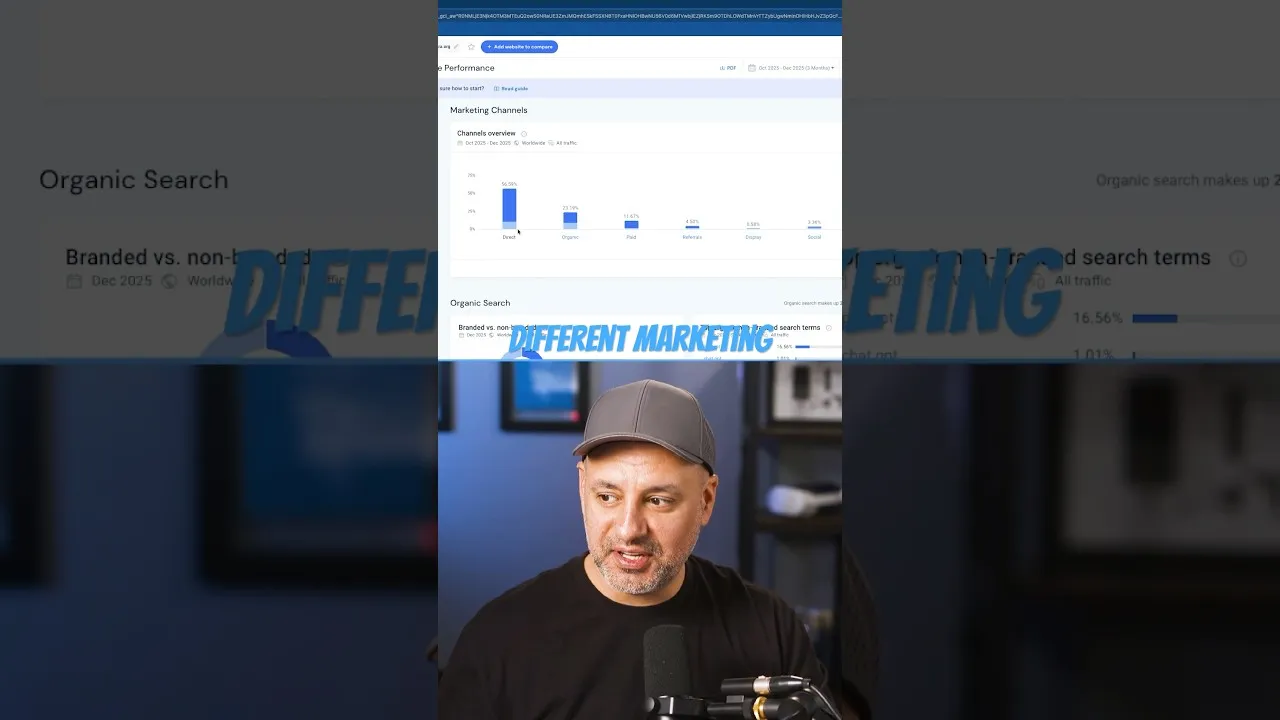
- Similarweb will then display a comprehensive overview of the website’s traffic, including:
- Total traffic volume.
- Month-over-month growth trends.
- Geographical distribution of traffic (top countries).
- Marketing channels driving traffic (Direct, Organic, Paid, Display, Social, etc.).
Expert Note: Analyzing competitor traffic can reveal successful strategies you might adapt or highlight areas where your brand can differentiate itself.
Step 3: Navigating to AI Brand Visibility Features
Once you’ve explored competitor data or if you’re ready to dive straight into your brand’s AI presence, locate the AI Brand Visibility section within Similarweb. This is often found under a dedicated ‘AI’ or ‘Brand Intelligence’ tab, depending on your account level and the platform’s current interface.
Step 4: Inputting Your Brand’s Website
To check your own brand’s AI visibility, you will typically need to input your brand’s primary website URL into the relevant search field within the AI Brand Visibility section.
Step 5: Understanding AI Platform Visibility
After inputting your website, Similarweb will provide data on your brand’s visibility across key AI platforms. This includes:
- ChatGPT: How often your brand is mentioned or discussed within ChatGPT contexts.
- Google Gemini: Similar visibility metrics for Google’s AI counterpart.
- Perplexity: Insights into your brand’s presence on this AI-powered search engine.
- Other AI Platforms: Depending on Similarweb’s updates, this may include other relevant AI tools.
This feature allows you to see how prominently your brand appears in AI-generated responses and discussions.
Step 6: Utilizing Prompt Tracking
One of the most powerful aspects of Similarweb’s AI Brand Visibility is its prompt tracking capability. This feature allows you to:
- See the exact prompts that were used when your brand was mentioned in an AI context.
- Understand what users are asking or searching for that leads to your brand being surfaced.
Tip: Use this information to refine your SEO strategy, content creation, and product development to better align with user queries.
Step 7: Analyzing Sentiment
Beyond just knowing *if* your brand is mentioned, it’s crucial to understand *how* it’s being perceived. Similarweb’s sentiment analysis provides this insight by categorizing brand mentions as:
- Positive: Mentions that reflect favorable opinions or endorsements.
- Neutral: Mentions that are factual or objective, without strong positive or negative leanings.
- Negative: Mentions that express criticism, dissatisfaction, or unfavorable opinions.
Warning: Regularly monitoring sentiment is vital for reputation management and identifying potential PR crises early.
Step 8: Interpreting the Data for Market Research
Similarweb effectively acts as a ‘cheat code’ for market research by consolidating this complex data into actionable insights. By combining competitor analysis with your brand’s AI visibility metrics, prompt tracking, and sentiment analysis, you can:
- Identify emerging trends in AI discussions relevant to your industry.
- Understand how users interact with AI when seeking information related to your products or services.
- Gauge the overall perception of your brand within the AI ecosystem.
- Develop more effective marketing and communication strategies tailored to AI-driven user behavior.
By regularly utilizing these features, you can stay ahead of the curve and ensure your AI brand maintains strong visibility and a positive reputation.
Source: Check your AI brand visibility! #similarweb #chatgpt #artificialintelligence (YouTube)