Gemini 3.1 Pro Emerges as a Powerful Tool for Animation Creation
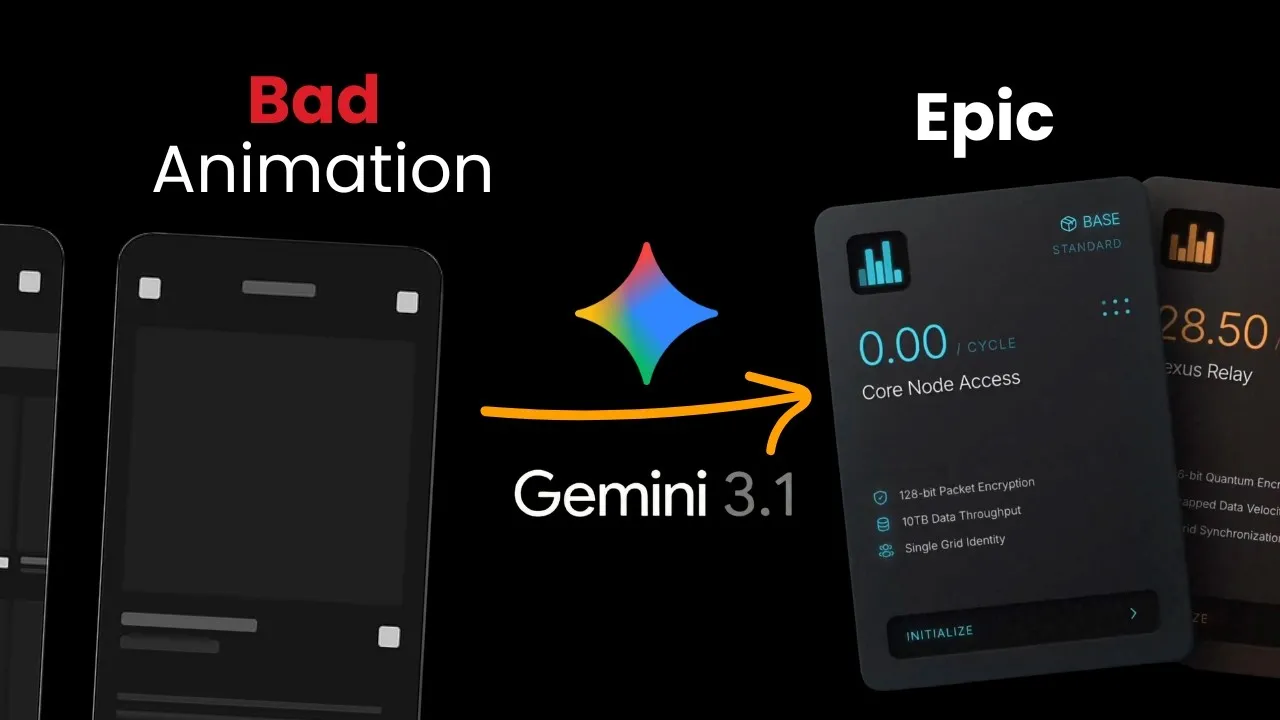
The landscape of AI-powered content creation is rapidly evolving, and Google’s Gemini 3.1 Pro is making significant waves, particularly in animation and SVG design. While many users have seen impressive animation examples generated by the model, their own attempts often fall short, resulting in basic, uninspired visuals akin to PowerPoint slides.
The key to unlocking Gemini 3.1 Pro’s full potential lies not just in the model itself, but in a structured and deliberate prompting strategy. This article digs into a refined process that transforms vague requests into sophisticated, production-ready animations.
The Key role of Planning in AI Animation
A common pitfall when using AI for animation is the tendency to issue broad, open-ended prompts like “animate this” or “make a prop.” This lack of specificity forces the AI to undertake complex spatial reasoning and planning, tasks for which it is not inherently optimized, leading to disjointed and uncoordinated results. The breakthrough strategy involves separating the planning phase from the execution phase.
Scene-Based Prompting: The Foundation of Quality
The core of this improved process is the adoption of a structured, scene-based prompt. This approach breaks down the animation into discrete scenes, detailing timing, specific UI states, and desired actions for each element. By providing a clear blueprint, users remove the burden of spatial thinking and complex planning from the AI, allowing it to focus on implementation.
Key Components of an Effective Scene Prompt:
- Timing: Precise duration for each scene or action.
- Defined States: Clear descriptions of what each element should look like and how it should appear or change.
- Spatial Details: Information about what should be in the frame and the positioning of elements.
- Action: Specific movements or transformations for objects and UI elements.
- Keywords for Effects: Special instructions for visual treatments like 3D perspective, rotation, fading, delays, or specific animation styles (e.g., “fade in with a standard item review”).
Even with a basic scene-based structure, users can expect a significant improvement in output quality, often two to three times better than with vague prompts. This method ensures that the AI receives clear, actionable instructions, leading to more coordinated and professional-looking animations.
Super Design’s Skill Library Simplifies Advanced Prompting
Recognizing the challenge of crafting these detailed prompts, the Super Design platform has introduced a “Product Release Demo” skill within its Super Design Skill Library. This tool aims to streamline the process of creating real UI-based product launch videos.
How the Super Design Skill Works:
- UI Cloning: Users begin by using Super Design’s free Chrome extension to capture specific UI components or entire web pages. This extension generates clean HTML code that can be used within the Super Design platform.
- Skill Integration: Once the UI is captured and imported into Super Design, users can access the “Product Release Demo” skill from the animation section of the skill library.
- Prompting the Skill: Users then provide a prompt describing the desired animation, such as showcasing a user journey for a new feature like “Inspire Mode.” The prompt should detail the sequence of events, from initial interaction to the appearance of new elements.
- Model Selection: Crucially, users are prompted to select Gemini 3.1 Pro as the underlying model, leveraging its advanced animation capabilities.
- Interactive Refinement: The skill then asks targeted questions about animation details, including initial states, element transitions (e.g., how tabs appear), inspiration item pop-ups, and cursor behavior.
- Plan Generation: Based on the user’s input, the skill generates a detailed animation plan, including a prompt breakdown with specific timings and UI states, along with a summary. Users can review and modify this plan before proceeding.
- Animation Creation: With an approved plan, the skill instructs the AI to generate the final animation.
This workflow, demonstrated with an example for a product launch video showcasing an “Inspire Mode” feature, results in high-quality animations that are directly tied to real UI elements and user journeys.
Why This Matters: Bridging the Gap Between Concept and Creation
The advancements highlighted by Gemini 3.1 Pro and tools like Super Design’s skill library are significant for several reasons:
- Democratization of Animation: Complex animation creation, previously requiring specialized software and expertise, is becoming accessible to a broader audience, including designers, marketers, and product managers.
- Enhanced Product Demos: Businesses can create more engaging and informative product launch videos and tutorials, clearly illustrating user journeys and feature benefits without the high cost of traditional animation production.
- Improved Workflow Efficiency: By automating much of the planning and execution, AI tools drastically reduce the time and effort required to produce visual content.
- AI Specialization: The success with Gemini 3.1 Pro in animation highlights the trend of AI models becoming increasingly specialized and proficient in specific creative domains.
The ability to generate professional-quality animations from detailed, structured prompts, especially when integrated with user interface cloning tools, marks a substantial leap forward. This empowers individuals and businesses to communicate ideas more effectively and visually, making complex information more digestible and engaging.
Availability and Access
The Super Design Chrome extension and the Super Design platform are available for free. The “Product Release Demo” skill, leveraging Gemini 3.1 Pro, can be accessed within the Super Design Skill Library. Users are encouraged to try these tools to experience the enhanced animation capabilities firsthand.
Source: How to prompt Gemini 3.1 for Epic animations (YouTube)