AI Designs Websites Pixel-Perfectly From Figma
A groundbreaking workflow is emerging that seamlessly bridges the gap between design mockups and functional web code, leveraging AI to achieve near-perfect pixel fidelity. This new approach integrates Figma designs with AI coding assistants and specialized component libraries, promising to revolutionize web development by automating complex UI implementation.
Figma to Code: The AI-Powered Bridge
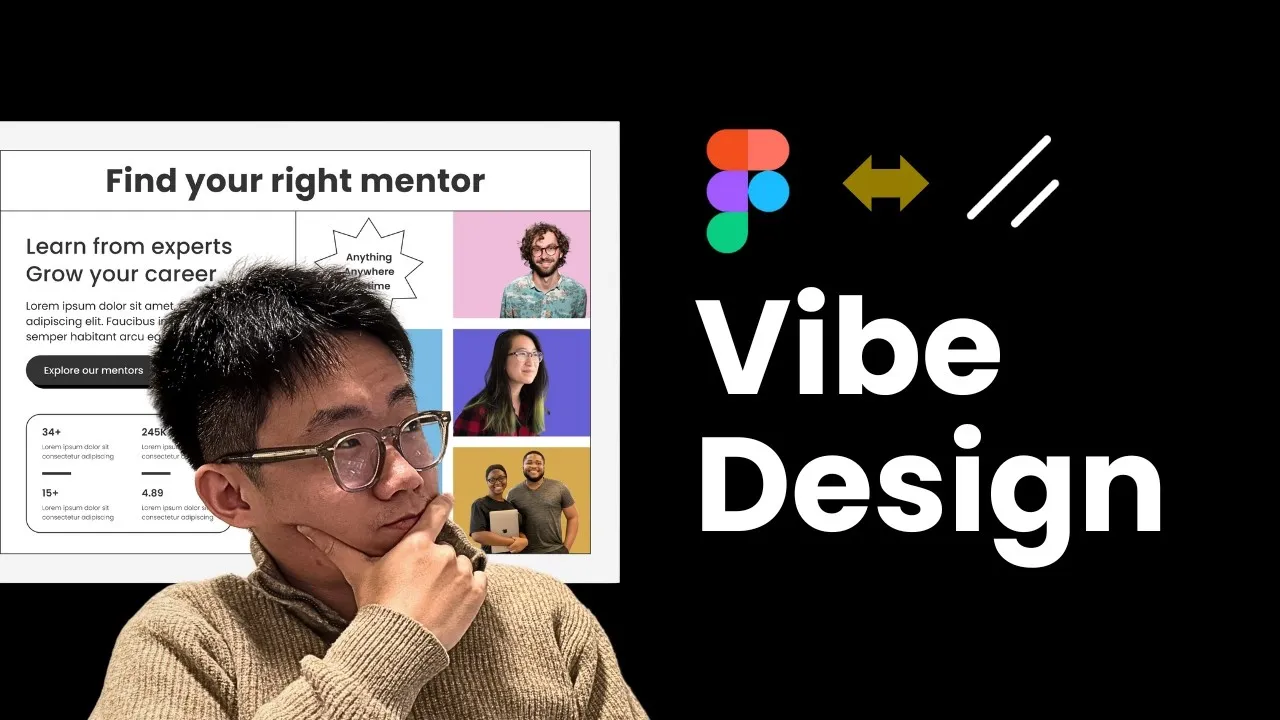
At the heart of this innovation is a set of AI-powered tools, notably the Figma MCP (Model Component Plugin) developed by RAM. This plugin allows developers to take designs created in Figma, a widely used design tool, and translate them directly into code.
The process involves copying a design selection from Figma and then instructing an AI coding assistant, such as Cursor or Cloud Code, to implement it. The AI then aims to generate a 100% pixel-perfect representation of the design in code.
The effectiveness of this Figma MCP has reportedly exceeded expectations. Users can input sophisticated designs from Figma and receive remarkably accurate code implementations.
Beyond just translating the visual layout, the tool can also download image and SVG assets directly from the Figma file, integrating them into the generated code. While minor adjustments might be needed, the initial output is so close to the original design that only a few prompt-based refinements are typically required to achieve pixel-perfect accuracy.
One of the standout features of the Figma MCP is its ability to download image assets and SVG logos. This streamlines the process of asset management, ensuring that all graphical elements from the design are correctly transferred to the codebase.
Enhancing UI Components with Chassen MCP
Complementing the Figma MCP is the Chassen MCP server. This tool significantly expands the capabilities by connecting to various Chassen-based UI component libraries.
Chassen is a framework that enables the creation of reusable UI components. The Chassen MCP server acts as an intelligent connector, allowing developers to access and utilize components from multiple libraries, including but not limited to Tailwind UI, Tark, and Magic UI.
The Chassen MCP server’s primary function is to identify available components within connected libraries. It then automatically retrieves the necessary command-line instructions to add these components to a project and provides example code for their usage. This dramatically speeds up the integration of complex UI elements.
The true power of this combined workflow—Figma MCP and Chassen MCP—lies in their synergy. When a Figma design already utilizes Chassen-based components with consistent naming conventions, the AI can achieve an almost 100% pixel-perfect translation. The process involves setting up a project with Chassen, initiating the Chassen MCP with the appropriate client (like Cursor, Cloud Code, or VS Code), and configuring component registries.
Setting Up the Workflow
To implement this workflow, developers need a project with Chassen already set up. The Chassen MCP is then initiated using a command like MPX Chassen latest MCP initiate, specifying the client being used.
This adds the Chassen MCP service to the project’s level, allowing it to access imported UI component libraries. An agents.mmd file is configured to guide the AI’s behavior when using these tools.
A crucial step involves configuring the component registries. These registries point to new UI component libraries built upon Chassen.
Each registry entry includes the URL where the library is hosted and the path to its JSON configuration file, which lists the available components. For those without a pre-existing Chassen template, a base template is available for download and customization.
Cross-Library Component Search and Integration
The Chassen MCP’s capabilities extend beyond just integrating pre-defined components. It empowers agents to search for components across different registered libraries. This means developers can find and use components from various sources, even if they are specialized in different areas, such as animations (e.g., Fancy Components, Animate UI), chat interfaces, or text editors.
For instance, a developer can add multiple registries, query what components are available in a specific library like PL UI, and then ask the AI to build a particular UI element, such as a text editor. The AI will then fetch the relevant components from the configured libraries and assemble the UI directly within the project. This allows for a high degree of customization and the ability to mix and match components from different sources to create sophisticated user interfaces.
The flexibility of this system allows users to build their own UI component libraries and host them privately for future use. The developers behind these tools also offer weekly workshops focused on vibe code and UI generation workflows, providing further support and insights into leveraging these advancements in production environments.
Why This Matters
This integrated AI-driven workflow represents a significant leap forward in web development efficiency and accuracy. By automating the translation of designs into code and providing access to a vast array of pre-built UI components, it drastically reduces the time and effort required to build visually consistent and functionally robust web applications.
Developers can focus more on complex logic and user experience, rather than the tedious task of pixel-perfect implementation. This democratization of high-fidelity UI development could empower smaller teams and individual creators to produce professional-grade websites and applications more rapidly than ever before.
Source: Vibe Design is much better than I thought… (YouTube)