How to Learn Software Development Effectively in 2025 and Beyond
The landscape of software development education has dramatically shifted. Gone are the days when memorizing syntax was the primary path to proficiency. In 2025 and beyond, a more strategic approach is essential.
This guide outlines a modern learning workflow designed to equip you with the fundamental understanding and problem-solving skills needed to thrive in the ever-evolving tech industry. You’ll learn how to leverage structured courses, AI as a powerful assistant, and practical project-based learning to build a solid foundation, regardless of your chosen development path.
Understanding the Modern Software Development Landscape
The core components of software development remain, but the complexity and the tools have evolved. While the specific technologies may vary (web development, mobile apps, machine learning, etc.), the general learning categories are consistent:
General Learning Categories
- Programming Language: The foundation (e.g., HTML, CSS, JavaScript for web; Python, Go, Rust, PHP, Java for others).
- Frameworks: Tools that streamline development (e.g., React, Angular, Vue for frontend; Django, Laravel, .NET for backend).
- Databases & ORMs: Systems for storing and managing data (e.g., PostgreSQL, MongoDB) and tools to interact with them.
- Version Control: Essential for collaboration and tracking changes (e.g., Git and GitHub).
- Design & Architecture: Understanding patterns and structures (e.g., MVC, REST, component-based development).
- Deployment & DevOps: Getting your applications live (e.g., AWS, Vercel, Docker).
The Shift from Memorization to Understanding
In the past (around 2007-2008), the software development stack was smaller. Developers could often memorize significant portions of syntax for languages and libraries like jQuery, allowing them to code without constantly referencing documentation. This was feasible because the scope of essential technologies was limited.
Today, the ecosystem is vastly larger, with numerous frameworks, libraries, and tools for every niche. Trying to memorize everything is impractical and inefficient. The modern approach prioritizes:
- Understanding Fundamentals: Grasping core concepts (like React Hooks or SSR principles) is more crucial than memorizing specific syntax. Syntax will become familiar through repetition.
- Leveraging AI and Documentation: Tools like AI can provide instant answers and explanations, while documentation offers detailed insights. Combining these is powerful.
- Navigating the Ecosystem: Knowing what to build, how to find answers, and where to look is more valuable than rote memorization.
Your Modern Learning Workflow
This workflow combines a primary learning method with AI as a supplemental tool, emphasizing practical application through projects.
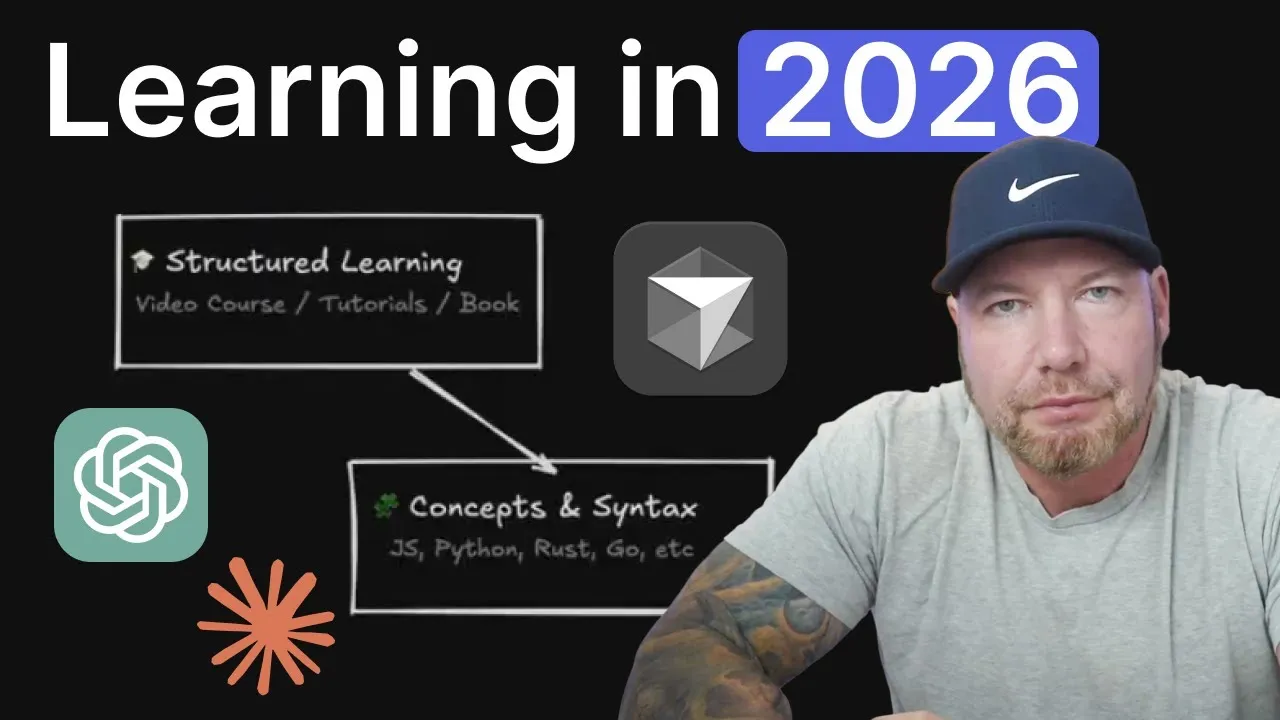
Step 1: Select Your Primary Learning Method
Choose a structured, guided learning resource that acts as your main teacher. This method should be:
- Linear and Guided: Follows a logical progression.
- Curriculum-Based: Covers essential topics systematically.
- Concept-Reinforcing: Explains the ‘why’ behind the ‘what’.
- Instructor-Led: Provides context and explanations you can understand.
- Project-Oriented: Includes real-world application beyond just theory.
Examples include:
- Video Courses: Platforms like Udemy, Pluralsight, or creator-specific sites (e.g., Traversy Media, Laracasts).
- Interactive Platforms: FreeCodeCamp, boot.dev.
- Traditional Education: College courses or coding bootcamps.
- Books: While useful, avoid audiobooks for coding; visual learning is key.
Mindset: Treat this primary method as your main instructor.
Step 2: Integrate AI as Your Learning Assistant
AI tools can fill gaps, debug errors, and provide up-to-date information. Use AI as a supplement to your primary learning method.
- Fill Knowledge Gaps: Courses often don’t cover every detail of a technology. AI can elaborate on specific topics.
- Debug Errors: Paste error messages directly into AI for explanations and solutions. This is far more efficient than searching Stack Overflow for similar, but not identical, issues.
- Stay Updated: While AI has knowledge cutoffs, you can feed it recent documentation (e.g., React docs, Tailwind docs) to get current information.
- Understand, Don’t Just Implement: Ensure AI explains why a solution works, not just provides the code.
Mindset: Treat AI as your learning assistant.
Step 3: Utilize AI Effectively with Specific Prompts
Avoid generic questions. Use detailed prompts to get the most out of your AI assistant.
Example Prompt Structure:
“I’m taking a course on [Course Name] by [Instructor Name], which teaches [brief description of course content]. I want you to act as my personal coding assistant and tutor throughout this course. My primary goal is to understand each concept thoroughly.
Please do not do the work for me or just give me the answer. Your role is to:
- Explain code examples clearly.
- Suggest small practice challenges related to the topics.
- Help me debug and improve code snippets I provide.
- Keep track of what I’ve learned and help me apply it in small projects.
- Modernize code with the latest best practices when requested.
- Start by creating a simple study plan and listing necessary tools.
As we progress, I will paste code or concepts from the course for your review and explanation.”
Step 4: Engage in Real-World Projects
Course projects are valuable for structured learning, but they often lack the complexity of real-world development. After completing a course section or the entire course, build your own project based on what you’ve learned.
- Simulate Real Development: Real projects lack handholding. You’ll encounter genuine debugging and refactoring challenges.
- Develop Problem-Solving Skills: This is the most critical skill in software development. Projects force you to solve problems independently.
- Gain Independence: Projects build confidence and the ability to tackle tasks without constant guidance.
- Leverage AI for Support: Use your AI assistant to help you overcome obstacles in your projects, but always aim to understand the solutions.
Mindset: Projects are where true learning and skill development happen.
General Tips for Success
- Pace Yourself: Set realistic daily time goals to avoid burnout. Burnout can lead to a loss of interest and mental health challenges.
- Set Specific Goals: Instead of “learn React,” aim for “learn React Hooks” or “implement JavaScript event listeners.”
- Learn by Doing: Actively code and build. Don’t just passively consume content. Create your own projects.
- Celebrate Small Wins: Acknowledge and appreciate your progress, no matter how small. Learning to use Git or setting up a basic project are significant achievements.
- Teach Others: Explaining concepts to someone else solidifies your own understanding and helps them learn.
- Learn in Public: Share your learning journey on platforms like Twitter/X or Discord. Engaging with other developers provides valuable insights and practice for industry communication.
By adopting this modern, balanced approach, you can build a strong foundation in software development that is adaptable and effective for years to come.
Source: Learning to code has changed (YouTube)