Master React State Management with the New Activity Component
The React ecosystem is constantly evolving, and new features can significantly enhance the performance and reliability of your applications. One such powerful addition is the Activity component. This tutorial will guide you through understanding and implementing the Activity component to prevent state loss when components are temporarily removed and to improve perceived performance through background preloading.
Understanding the Problem: State Reset on Removal
In standard React conditional rendering, when a component is removed from the DOM and then re-added, it often resets its internal state to its default values. This can be problematic for user interfaces where you want to preserve user input or internal component states.
Consider a simple scenario:
- You have a button that toggles the visibility of a counter section.
- Within the counter section, you can increment/decrement a counter and type text into an input field.
- When you toggle the button to hide the counter section, and then toggle it back to show it, all the state (the counter value and the input field’s text) is reset to its initial default.
This happens because the component is completely unmounted and then remounted, effectively creating a new instance with its default state.
Introducing the Activity Component: Preserving State
The Activity component offers a solution to this common problem. It functions similarly to conditional rendering but with a crucial difference: it preserves the component’s state even when it’s not actively displayed.
How it Works
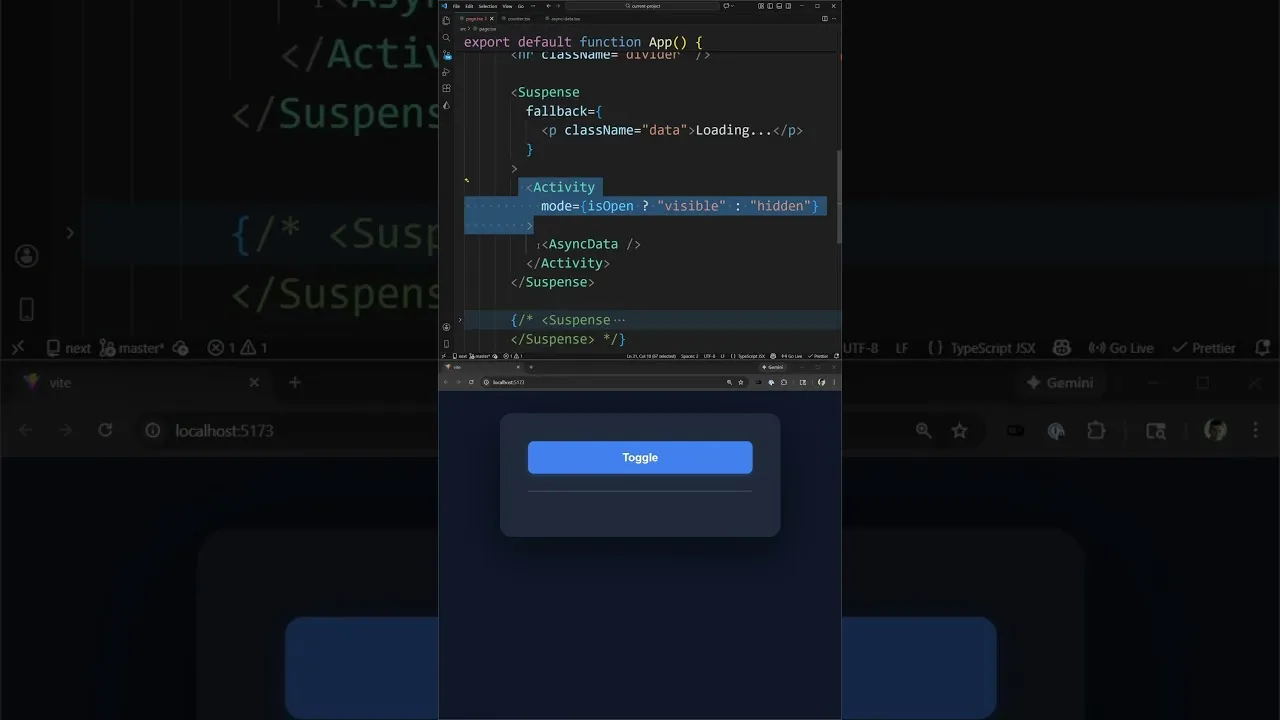
Instead of using a standard conditional render (e.g., {isVisible <Counter />}), you wrap your component within the Activity component and specify a mode prop.
mode="visible": The content is rendered and displayed on the page.mode="hidden": The content is removed from the DOM, much like conditional rendering, but its state is maintained internally.
Demonstrating State Preservation
Let’s revisit the counter example:
- Wrap the counter component inside the
Activitycomponent. - Set the
modeprop based on a visibility state. - When you toggle the button to hide the counter (setting
modetohidden), the component is unmounted from the DOM. - When you toggle it back to show the counter (setting
modetovisible), the component is re-mounted, and crucially, it retains the previous state of the counter and the input field.
This behavior ensures that user interactions and data entered are not lost when a component is temporarily hidden, leading to a more robust and user-friendly interface.
Enhancing Performance with Preloading
Beyond state preservation, the Activity component introduces powerful performance optimizations, particularly with asynchronous operations.
The Challenge with Asynchronous Data
Many components fetch data asynchronously, often involving loading states that can impact user experience. If a component that fetches data is hidden and then shown, it might re-fetch the data, leading to a noticeable loading spinner.
Activity Component’s Preloading Capability
The Activity component is intelligent enough to preload data for components wrapped within it, even when they are in a hidden state. This means that by the time the component becomes visible, the data might already be fetched and ready.
Example: Asynchronous Data Component
Consider a component that fetches data with a 2-second delay:
- Wrap this asynchronous data component within the
Activitycomponent, potentially also using React’sSuspensefor managing loading states. - When the component is initially rendered and in a
hiddenstate (or if theActivitycomponent is configured for background preloading), it can trigger the data fetch in the background. - If you toggle the visibility to reveal the component after the background fetch has completed, you will see the data immediately, without any loading indicator.
This background preloading significantly improves the perceived performance of your application, making it feel faster and more responsive by eliminating or reducing loading times for frequently accessed or toggled sections.
Key Takeaways
The new React Activity component is a versatile tool that:
- Preserves component state when components are temporarily removed from the DOM, preventing data loss and resets.
- Enhances performance by enabling background preloading of data for components, reducing visible loading states and improving user experience.
This component unlocks advanced patterns for managing state and optimizing performance that were previously difficult or impossible to achieve in React. It’s a major shift for building more sophisticated and performant user interfaces.
Source: The NEW React Activity Component Is a Major shift for Performance (YouTube)