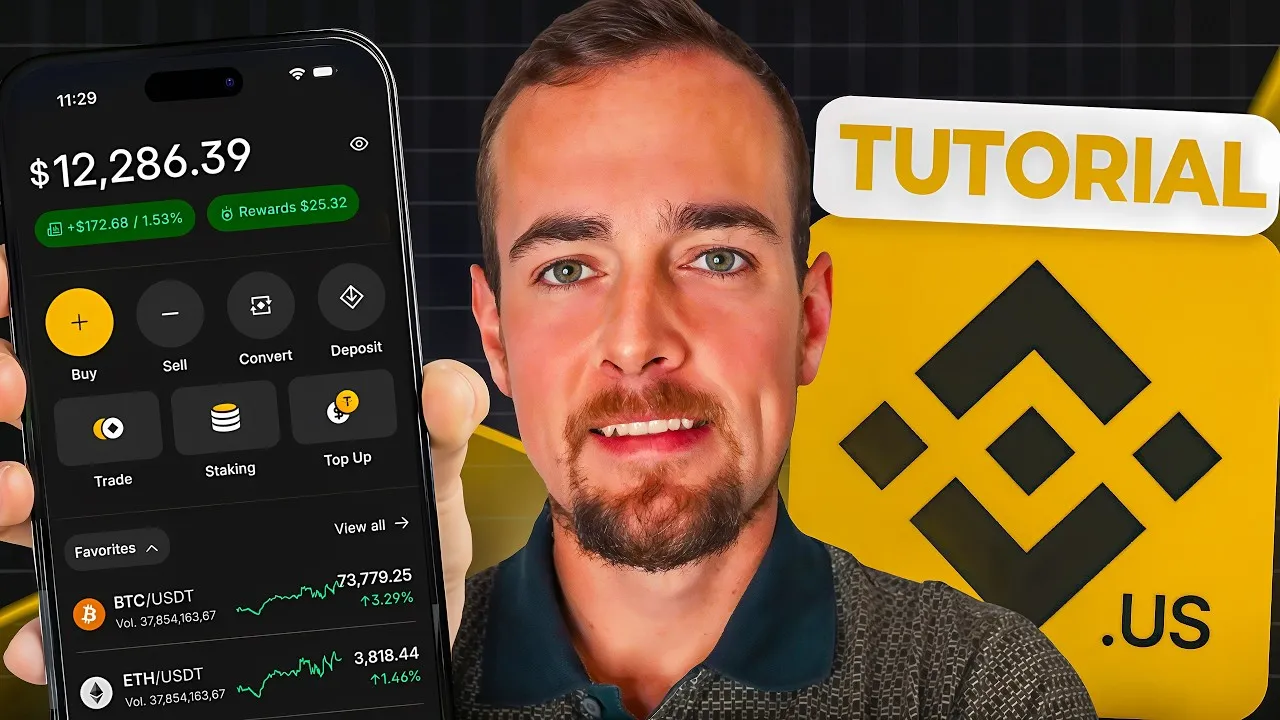
Binance US App: A Beginner’s Guide to Crypto Trading
Binance, the world’s largest cryptocurrency trading platform by volume, offers a comprehensive suite of tools for digital asset investors. Founded in 2017, the platform boasts over 270 million users globally and is recognized for its extensive selection of digital assets, advanced features, and competitive trading fees. This guide explores the functionalities of the Binance US mobile application, designed to onboard new users and facilitate crypto trading.
Getting Started: Account Creation and Verification
To begin using the Binance US app, users must first download and install the application. For US residents, the Binance US version is distinct from the global platform. The account opening process involves a mandatory Know Your Customer (KYC) verification. This typically includes providing a valid social security number, a government-issued ID (front and back), and a short video selfie to confirm identity. Binance is obligated to collect this information for regulatory compliance and potential tax reporting to the IRS.
It is important to note that Binance US is not available in all US states. Users should verify their state’s eligibility before proceeding. Following verification, users must complete a brief investor questionnaire, which assesses employment status and income sources, a standard procedure for financial accounts.
While basic verification allows access to most features, an advanced verification step may be required for users seeking higher trading limits. This can be completed later within the app’s settings.
Navigating the Binance US App Interface
The Binance US app features an intuitive interface designed for ease of use. The homepage provides quick access to core functions such as buying, selling, converting, and transferring cryptocurrencies. It also highlights features like staking and a ‘Boost’ section for earning rewards.
Key Sections of the App:
- Homepage: Offers prominent buttons for Buy, Sell, Convert, and Transfer. Displays favorite cryptocurrencies like Bitcoin (BTC), Ethereum (ETH), and Binance Coin (BNB), the platform’s native token.
- Markets: Provides an overview of cryptocurrency prices, including top gainers, new listings, most bought, and price drops. Users can customize their favorite assets and view various trading pairs.
- Explore Tab: Lists curated cryptocurrency categories such as top gainers, new listings, most bought, staking assets, price drops, most sold, and most favored. Binance US supports trading approximately 190 different digital assets.
- Portfolio: Displays the user’s current cryptocurrency holdings and cash balances. Users can also manage deposits and withdrawals here.
- Orders: Shows trading history and any pending orders.
- Earn Section: Features options for staking and the ‘Boost’ program, allowing users to earn rewards on their digital assets.
- Hub: Located at the bottom right, this section consolidates access to various app features and includes a news feed with crypto market updates. The news articles open directly within the app for convenience. The Hub also provides access to the Tax Center, where users can generate transaction reports for tax purposes.
Funding Your Account and Trading
To purchase cryptocurrency, users must first fund their account. The app facilitates this by allowing users to link a bank account, often through integration with Plaid for instant verification and deposits. The process typically involves entering a phone number, completing two-factor authentication, and selecting a bank account to link. While the tutorial encountered a temporary issue with bank linking, the process is generally designed to be seamless.
Once funded, users can buy cryptocurrencies. The app allows for purchases in increments as low as $1, making it accessible for new investors. For example, purchasing Bitcoin involves selecting the asset, entering the desired dollar amount, choosing a payment method, and confirming the transaction.
For users interested in more detailed market analysis, the app offers both ‘Light’ and ‘Advanced’ charting views. The advanced mode provides in-depth charting tools, time interval adjustments, and access to the full order book, while the light mode offers a simpler line chart view with key statistics such as market cap, daily volume, and circulating supply.
Earning Passive Income: Staking and Boost
Binance US offers avenues for users to earn passive income on their crypto holdings through staking and the ‘Boost’ feature.
- Staking: This process involves locking up digital assets to support the operation of a blockchain network. In return, users earn rewards, similar to earning interest in a traditional bank account. However, unlike bank deposits, staked assets are not FDIC insured. Binance US offers staking for around 20 different tokens. For instance, staking Ethereum (ETH) might yield rewards at a rate of 2.2%, with specific processing, bonding, and unbonding periods that vary by asset. Users are advised to research the risks and benefits thoroughly before participating.
- Boost: This feature allows users to earn rewards by temporarily depositing eligible assets. Campaigns may include smaller tokens as well as major ones like Bitcoin (BTC), USDT, and USDC. As with staking, users must understand the associated risks, which can include exchange risk and the additional risk of lending assets.
Convenience Features: Convert and Transfer
The app simplifies cryptocurrency management with features like ‘Convert’ and ‘Transfer’.
- Convert: This function enables users to swap one cryptocurrency directly for another without needing to convert to fiat currency first. With support for approximately 135 different tokens for direct swapping, it streamlines portfolio adjustments.
- Transfer: This section facilitates the movement of funds and assets. Users can deposit cash or crypto from external wallets, withdraw cash to their bank accounts, or withdraw crypto to other wallets. For cash withdrawals, users select the amount, payment method, and confirm the transaction. For crypto transfers, users can generate wallet addresses to deposit assets into Binance US or initiate withdrawals to external destinations.
Market Impact and Investor Considerations
Binance’s global scale and extensive offerings, mirrored by its US platform, underscore its significance in the digital asset market. The platform’s user-friendly interface and diverse features, including robust trading tools, staking options, and conversion services, cater to a wide range of investors, from novices to experienced traders.
What Investors Should Know:
- Accessibility: The ability to start investing with as little as $1 makes cryptocurrency accessible to a broader audience.
- Asset Variety: With around 190 supported tokens on Binance US, investors have a broad selection of digital assets to choose from.
- Passive Income Opportunities: Staking and Boost features offer potential for earning yields, though users must carefully assess the associated risks, including the lack of traditional insurance.
- Regulatory Compliance: The mandatory KYC process highlights the evolving regulatory landscape for cryptocurrency exchanges. Users should be aware of potential tax implications related to their trading activities.
- Risk Management: Keeping assets on an exchange, particularly when utilizing lending or staking features, introduces exchange risk and counterparty risk. Investors should conduct their own research (DYOR) and understand these risks before committing capital.
In summary, the Binance US app provides a comprehensive platform for engaging with the cryptocurrency market. By understanding its features, verification processes, and the inherent risks, investors can navigate the digital asset space more effectively.
Source: How To Use Binance App For Beginners | 2026 Tutorial (YouTube)