Build a Functional AI App in Under an Hour (No Code)
Discover how to transform your business idea into a fully functional AI-powered application without writing a single line of code. This guide will walk you through using an innovative AI agent platform to build, test, and even integrate payments into your app in a remarkably short time.
What You’ll Learn:
- How to start building an app with a simple text prompt.
- Integrating various AI models for different functionalities (ideation, logo generation, business planning, marketing).
- Setting up user authentication and an AI credit system.
- Automated testing and debugging of your application.
- Implementing payment integration with platforms like Stripe.
- Deploying your functional app to share with the world.
Prerequisites:
- An idea for a business or application.
- Access to the emergent platform (a link will be provided).
Step-by-Step Guide to Building Your AI App
Step 1: Define Your App Idea with a Prompt
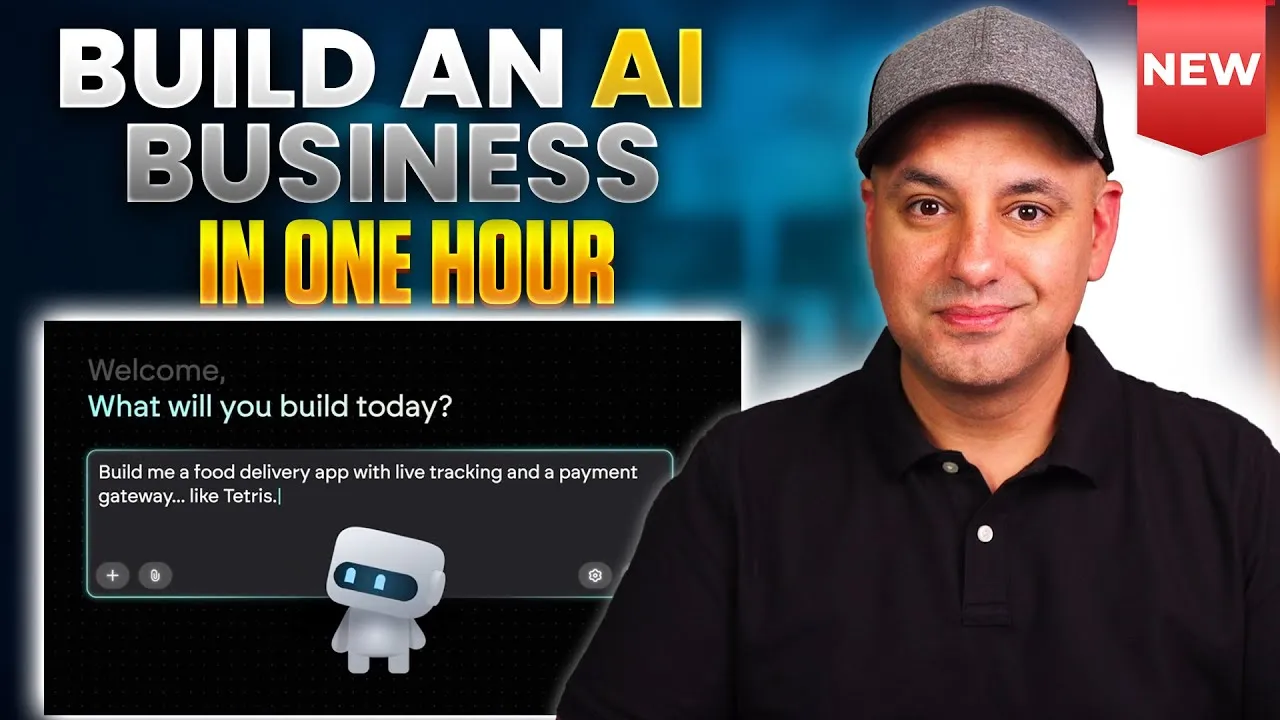
The process begins with a simple text prompt. You can have a conversation with an AI like ChatGPT to refine your idea before entering it into the platform. For this example, the prompt was: “Create a web app called AI startup mentor. It helps users start a business step by step. This will actually help with coming up with the idea, but also generate the logos, the website setup, basic marketing suggestions, and so on.”
You don’t need to be overly detailed; the platform is designed to guide you and fill in the blanks regarding user interface design and AI tool selection. You can also upload images for design inspiration or connect to GitHub for version control. For this tutorial, we’ll stick to the defaults and let the AI handle the design.
Step 2: Configure AI Integrations and User Features
After submitting your initial prompt, the AI agent will follow up with questions to tailor the app to your needs. Since we’re building an AI-powered app, it will ask about AI model integration and API keys. The emergent platform simplifies this by providing a universal API key, eliminating the need to set up individual keys with services like OpenAI.
You’ll also be asked if you want user authentication (login/signup). Enabling this is crucial for tracking user progress and managing features like AI credits. The platform will then suggest design options, such as a modern look.
Expert Note: When selecting AI models, consider factors like performance and cost. For instance, a model like GPT5 Mini can be a faster and cheaper alternative to GPT5 for high-usage scenarios, though potentially less powerful.
Step 3: Leverage Automated Testing and Previewing
One of the most powerful features of this platform is its automated testing. The AI agent takes screenshots during the build process and uses a separate testing agent to identify and fix errors. This significantly reduces the manual back-and-forth often associated with app development, saving you considerable time.
After the initial build, you can preview your app on the right side of the interface. This allows you to test core functions like the signup process, user authentication, and database storage. The platform automatically generates a project structure with features for naming, logo design, website setup, and marketing, all accessible via an AI-powered chatbot.
Step 4: Enhance App Functionality with Advanced Prompts
To make the app more robust, you can refine your initial prompt or provide follow-up instructions. For example, instead of just having an AI chatbot guide users, you can instruct the AI to perform actions like generating logos directly.
The ‘fork’ option is invaluable here. It allows you to create a new version of your app based on the current state, enabling you to experiment with significant changes without losing your previous progress. This is perfect for iterating on design or adding new features.
Example Enhancement: You can request a complete redesign, perhaps centering the interface around a chatbot or adding a detailed side panel listing all development steps (ideation, validation, naming, logo, business plan, incorporation, website, marketing). You can also specify particular AI models, like Google’s Nano Banana for logo generation.
Step 5: Integrate Specific AI Models and Features
The platform allows you to integrate various AI models seamlessly. For instance, you can use GPT5 for marketing content generation, Claude for website assistance, and Nano Banana for creating logos. Each chatbot within the app can be given a specific ‘system prompt’ to define its behavior and expertise.
Ideation Chatbot: Guides users through generating business ideas based on their background and experience. It can even suggest minimum viable product plans and pricing.
Naming Chatbot: Helps users brainstorm and select business names, offering suggestions based on desired styles (e.g., modern, friendly). You can further enhance this by integrating domain availability checks.
Logo Generator: Takes the business name and description to create professional logos. You can specify color preferences and styles. The platform can generate multiple logo options at once using advanced models.
Business Plan & Checklist: Includes tools for generating business plans and a non-AI powered checklist that guides users through incorporation steps, providing links to relevant government resources (e.g., SBA.gov, IRS).
Step 6: Personalize the User Interface and Experience
Once the core features are in place, you can further personalize the user interface. For example, you can add a welcome banner that greets users by name, pulling their information from the authentication system. This adds a crucial personal touch.
As your conversation history grows, you might encounter context limits. The platform offers a ‘fork session’ feature, which summarizes your current conversation and creates a new, independent session. This ensures that the AI retains context without being limited by token constraints, allowing for longer, more complex development dialogues.
Step 7: Implement a Credit System and Payment Integration
To monetize your app, you can implement an AI credit system. Users receive a certain number of free credits upon signup, and specific actions (like generating a logo or using a chatbot) consume these credits.
The platform can automatically create an upgrade path for users who run out of credits. This involves defining pricing plans based on credit packages and integrating with payment gateways like Stripe. The AI can generate the necessary UI elements, including pricing tiers, FAQs, and even the Stripe checkout process, often using a sandbox environment for initial testing before connecting to a live account.
Example Pricing Structure:
- Free Tier: 10 credits
- One-time Payment: 150 credits
- Monthly Subscription: 100 credits/month
The AI can suggest appropriate pricing models (e.g., one-time payment vs. subscription) based on the app’s functionality.
Step 8: Build and Deploy Your Application
After defining features, integrating AI models, and setting up payments, you can proceed to build and deploy your app.
Build: The platform can take a simple prompt for a specific feature (e.g., a to-do list app) and generate a fully detailed prompt, which is then used to build the application.
Landing Page Improvement: If the initial landing page is basic, you can prompt the AI to improve it. Provide a simple instruction like, “Let’s improve the landing page to be a lot more complete,” and the AI will generate a more comprehensive page with headlines, step-by-step guides, and placeholders for testimonials.
Deployment: Once satisfied, you can deploy your app. The platform provides a ‘Share’ option for temporary links for feedback and a ‘Deploy’ button for a permanent launch. Before deploying, run a health check for an automated code review. Connecting your live payment gateway (like Stripe) is the final step before initiating the deployment, which typically takes 5-7 minutes.
Conclusion
Using platforms like emergent, you can build sophisticated, production-ready AI applications in a fraction of the time it would traditionally take, often in under an hour. The ability to integrate multiple AI models, automate testing, and handle payments without extensive coding knowledge is a game-changer for aspiring app creators and entrepreneurs.
Pricing Overview (emergent):
- Free Tier: Get started with free credits.
- Standard Plan: Starts at $17/month, includes 100 credits/month, with options to purchase additional credits.
- Pro Plan: Offers more advanced features like larger context windows and premium AI models, with 750 monthly credits.
The platform also supports building mobile applications. Explore the provided link to emergent to begin building your own AI app today.
Source: I Built a Real AI App in 60 Minutes (No Coding) (YouTube)