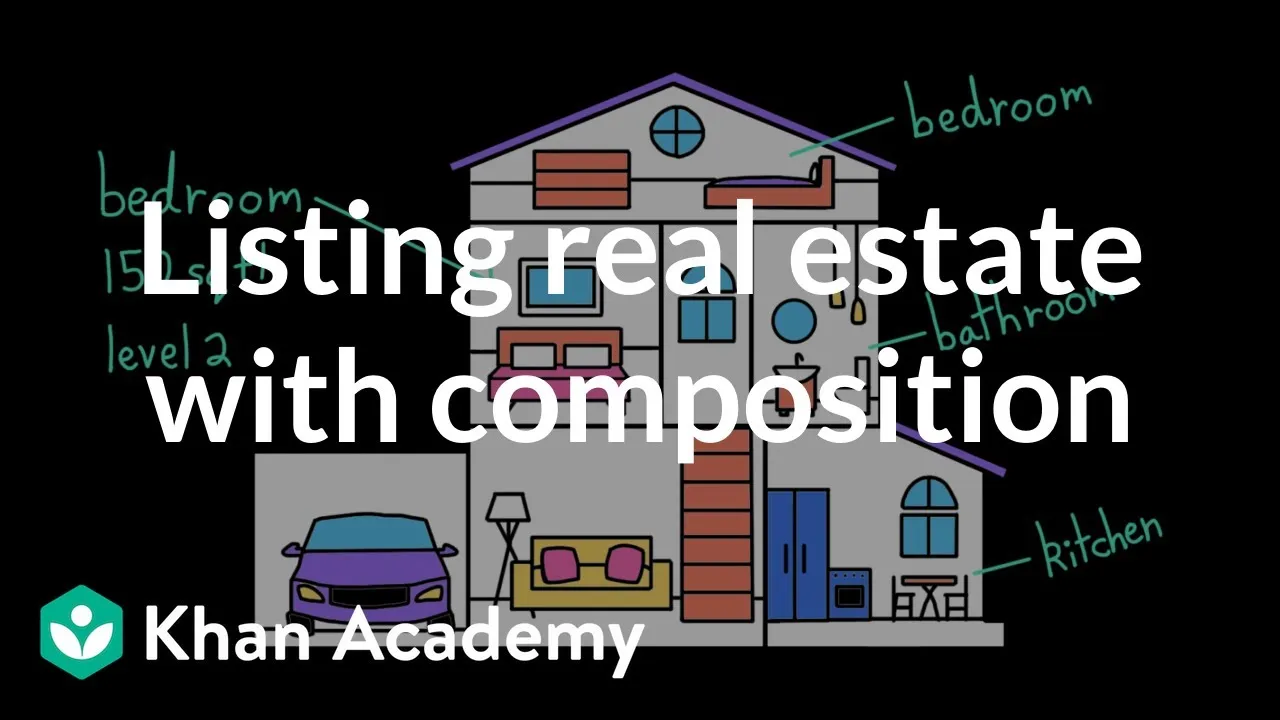
How to Build a Real Estate Program Using Python Classes
In this guide, we will learn how to design and build a simple real estate program using Python classes. We’ll create two main classes: `Room` and `Property`. The `Room` class will store details about individual rooms, like their type, square footage, and floor level. The `Property` class will use `Room` objects to represent a house or apartment, calculating important statistics such as total square footage and price per square foot. This approach, called object composition, helps organize data effectively and prevents information from becoming outdated.
What You Will Learn
- How to define a Python class with attributes and methods.
- How to use object composition to build complex objects from simpler ones.
- How to calculate derived information using methods instead of storing redundant data.
- How to search for specific items within a collection of objects.
Prerequisites
- Basic understanding of Python programming.
- Familiarity with Python functions and variables.
Step 1: Create the Room Class
First, let’s design the `Room` class. Each room needs to store its kind (like ‘kitchen’ or ‘bedroom’), its square footage, and the level it’s on. We’ll also add a special method, `__str__`, that allows us to easily print information about a room.
- Define a class named `Room`.
- Inside the class, create an `__init__` method that accepts `kind`, `square_feet`, and `level` as arguments.
- Assign these arguments to instance attributes: `self.kind`, `self.square_feet`, and `self.level`.
- Define a `__str__` method that returns a formatted string describing the room. For example, it could return f”{self.kind} on level {self.level} ({self.square_feet} sq ft)”.
Example: Creating and Printing a Room
Now, let’s test our `Room` class. We can create an instance of a room and print it to see our `__str__` method in action.
- In your main program area, create a `Room` object. Let’s make a kitchen on the second level with 160 square feet: `my_kitchen = Room(‘kitchen’, 160, 2)`.
- Print this object: `print(my_kitchen)`. You should see the formatted description of the kitchen.
Step 2: Create the Property Class
Next, we’ll create the `Property` class. A property will have a kind (like ‘house’ or ‘apartment’), an asking price, and importantly, a list of `Room` objects associated with it. This is where object composition comes in – the `Property` object *contains* `Room` objects.
- Define a class named `Property`.
- Create an `__init__` method that accepts `kind`, `price`, and `rooms` as arguments.
- Assign these arguments to instance attributes: `self.kind`, `self.price`, and `self.rooms`. The `rooms` argument should be a list of `Room` objects.
Tip: Object Composition
Instead of creating `Room` objects inside the `Property` class, we pass them in when we create a `Property` object. This makes our `Property` class more flexible. A property can have many rooms, and we don’t want to create all of them upfront if the user might enter them one by one later.
Step 3: Calculate Property Statistics
A key benefit of using composition is that the `Property` class can use the information from its `Room` objects to calculate useful statistics. We should avoid storing calculated data directly in the `Property` class, as it could become outdated. Instead, we’ll create methods that calculate these values on demand.
Calculating Total Square Footage
- Add a method called `get_total_square_feet` to the `Property` class.
- Initialize a variable `total_sqft` to 0.
- Loop through each `room` in the `self.rooms` list.
- For each `room`, add its `square_feet` attribute (`room.square_feet`) to `total_sqft`.
- After the loop, return `total_sqft`.
Calculating Price Per Square Foot
Buyers often want to know the price per square foot to compare properties. We can calculate this using the property’s price and the total square footage we just figured out.
- Add a method called `get_price_per_square_foot` to the `Property` class.
- Inside this method, get the total square footage by calling `self.get_total_square_feet()`.
- If the total square footage is zero (to avoid division by zero errors), return 0.
- Otherwise, calculate the price per square foot: `self.price / total_sqft`.
- Round the result to two decimal places using the `round()` function.
- Return the rounded value.
Example: Testing Property Statistics
Let’s create a property and test these new methods.
- First, create a few `Room` objects:
bedroom1 = Room('bedroom', 150, 1)

bedroom2 = Room('bedroom', 130, 1)

kitchen = Room('kitchen', 160, 1)

bathroom = Room('bathroom', 80, 1) - Create a `Property` object using these rooms. Let’s say it’s a house priced at $300,000:
my_house = Property('house', 300000, [bedroom1, bedroom2, kitchen, bathroom]) - Call and print the methods:
print(f"Total Square Feet: {my_house.get_total_square_feet()}")

print(f"Price Per Square Foot: ${my_house.get_price_per_square_foot():.2f}")
Step 4: Find Rooms by Kind
Buyers often want to quickly see how many bedrooms or bathrooms a property has. We can add a method to the `Property` class that finds all rooms of a specific type.
- Add a method called `find_rooms_by_kind` to the `Property` class. It should accept `room_kind` as an argument.
- Initialize an empty list called `matching_rooms` to store the rooms that match.
- Loop through each `room` in the `self.rooms` list.
- Inside the loop, compare the `room.kind` with the `room_kind` the user is looking for. To make the search case-insensitive, convert both to lowercase using `.lower()` before comparing: `if room.kind.lower() == room_kind.lower():`.
- If the kinds match, append the entire `room` object to the `matching_rooms` list.
- After checking all rooms, return the `matching_rooms` list.
Example: Searching for Specific Rooms
Let’s use our new method to find all bedrooms and bathrooms in our house.
- Call the `find_rooms_by_kind` method on `my_house` for ‘bedroom’: `bedrooms = my_house.find_rooms_by_kind(‘bedroom’)`.
- Call it again for ‘bathroom’: `bathrooms = my_house.find_rooms_by_kind(‘bathroom’)`.
- Print the results. You can print the number of bedrooms found and then loop through the `bedrooms` list to print each one. For example:
print(f"Found {len(bedrooms)} bedrooms:")

for bed in bedrooms:
print(f"- {bed}") - Do the same for bathrooms. This shows buyers key details at a glance and lets them explore further if interested.
By using classes and object composition, we’ve built a structured and efficient program to represent real estate properties. This design makes it easy to add more features later, like calculating the average room size or finding properties within a specific price range.
Source: Program design: real estate | Intro to CS – Python | Khan Academy (YouTube)