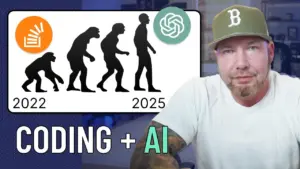
Build Production-Ready Apps with AI in Under a Week
Learn how to use AI to build and deploy real software, just like the pros. This course will guide you through creating a complete, AI-powered support ticket system that you could actually use for your business. You’ll see how AI can dramatically speed up development, letting you focus on innovation instead of tedious coding.
What You Will Learn
This course focuses on practical application, teaching you to build a full-stack AI-powered support ticket system. You’ll learn how to implement user authentication, manage roles for access control, and create an efficient interface for support agents. Most importantly, you’ll integrate AI features to automate tasks like summarizing conversations and refining agent responses, making your support system smarter and more professional.
Prerequisites
- Basic understanding of software development concepts.
- Familiarity with coding principles.
Step-by-Step Guide to Building Your AI App
Step 1: Understand the Power of AI in Development
Cloud code and AI tools are changing how software is created. Companies are already using these tools to write a significant portion of their code, speeding up the development process. This course shows you how to harness this power to build professional applications efficiently.
Step 2: Plan Your Support Ticket System
We will build a complete support ticket system, similar to what real companies use. This system will handle customer inquiries, manage tickets, and improve agent productivity. Think of it as a tool to solve a real problem, just like the one I built for my own coding school.
Step 3: Implement Core Features
The first part of building the system involves setting up the essential functions. This includes creating a secure login system so only authorized users can access the platform. We will also set up role-based access control. This ensures that different users, like support agents or administrators, only see and do what they are supposed to.
Step 4: Design the Agent Interface
Next, we focus on making the system easy for support agents to use. This means creating a clear and organized way for them to view and manage support tickets. Agents need to quickly find the information they need to help customers effectively.
Step 5: Integrate AI for Smart Features
This is where the AI really shines. We will add features that make the system intelligent. One key feature will be the ability to summarize long customer conversations with just one click. Another will be polishing agent replies, making sure they sound professional and match the company’s tone. This saves agents time and improves communication quality.
Step 6: Automate Customer Responses with AI
A powerful feature we’ll build is an AI agent that handles incoming customer emails. When a new email arrives, the AI will read it, understand the issue, and send a professional reply automatically within seconds. This means some customer issues can be resolved instantly without any human help.
Step 7: Handle Escalations to Human Agents
While AI can handle many tasks, some issues are too complex. If the AI agent cannot resolve a ticket on its own, the system will automatically send it to a human support agent. This ensures that every customer concern is addressed properly, whether by AI or a person.
Step 8: Review and Refactor AI-Generated Code
This course emphasizes real engineering practices, not just quick AI experiments. We will carefully examine every line of code generated by AI. We’ll identify any potential problems and make improvements, known as refactoring. The goal is to ensure the code is clean, efficient, and follows best practices for software development.
Step 9: Ensure Code Quality with Automated Tests
To guarantee the reliability of our application, we will use hundreds of automated tests. These tests act like quality checks, running automatically to make sure every part of the software works as expected. This rigorous testing is crucial for building dependable software.
Step 10: Build and Deploy Your Application
The entire process, from the initial idea to a fully working application, can be accomplished quickly with AI. What might take weeks of manual coding can potentially be done in just a couple of working days. This course will show you the exact steps to take your AI-assisted project from concept to a live, deployed application that customers can use.
Expert Note: Building with AI doesn’t replace engineers; it enhances their capabilities. By handling repetitive coding tasks, AI allows developers to focus on complex problem-solving, system design, and creating innovative features.
Tip: Always review AI-generated code thoroughly. While AI is powerful, it can sometimes produce inefficient or incorrect code. Human oversight is key to building high-quality software.
Source: New Course Dropping Soon… (YouTube)