Claude’s Agent Teams Revolutionize Collaborative AI Development
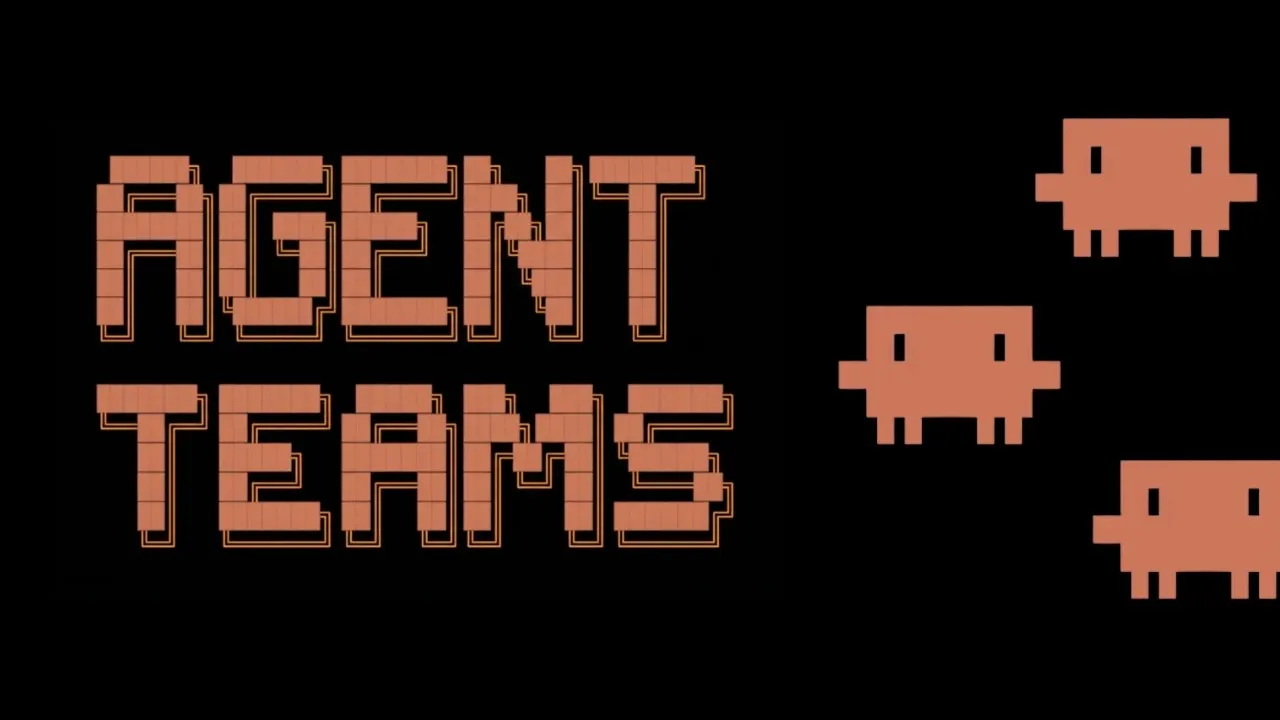
Anthropic’s Claude Code has unveiled a significant upgrade to its agent capabilities with the introduction of ‘Agent Teams,’ a feature that dramatically enhances collaborative problem-solving for AI-driven development tasks. Moving beyond the previous model of single sub-agents, Agent Teams allows Claude Code to instantiate multiple, independent instances that work together, communicate, and collectively tackle complex projects.
Unpacking the New Agent Teams Architecture
The core innovation lies in Claude Code’s ability to spin up three to five distinct Claude Code sessions, each acting as an individual agent. These agents can then communicate with each other using various protocols to achieve a common goal. This represents a substantial leap from the prior ‘task and sub-agent’ feature, where a single sub-agent would execute a task and return a summarized result.
To understand this new paradigm, a deep dive into the underlying mechanics reveals a sophisticated orchestration process. When Agent Teams is activated, the primary Claude Code instance, acting as a ‘team lead,’ initiates the process. This involves several new tools and workflows:
- Team Creation: The process begins with a ‘team_create’ tool. This tool establishes a new team directory within the Claude Code environment, typically under a ‘teams’ folder. A configuration file is generated, outlining the team’s basic information, though the ‘team member’ array is initially empty. A configuration for ‘agent_type’ also exists, potentially designating a specific agent as the team lead, though its full implications are still unfolding.
- Task Listing: Unlike the previous ‘task_tool’ that directly spawned agents, a new ‘task_create’ tool is employed. This tool meticulously logs all to-do items for the team, storing them as individual JSON files within a ‘tasks’ folder. Each task file includes details like subject, description, status, and dependency information (‘block’ and ‘blocked_by’). This structured approach is crucial for managing dependencies and ensuring agents pick up tasks in the correct sequence.
- Task Execution and Updates: Once the task list is established, the familiar ‘task_tool’ is invoked, but with significant enhancements. It now accepts ‘team_name’ and ‘member_name’ to direct tasks to specific agents within a team. Instead of creating a standalone sub-agent session, it now initiates a new Claude Code session that inherits the team’s context, including its ID and the task list. These individual sessions are empowered to autonomously complete, update, or even create new tasks.
- Task Status Management: Each agent within the team typically uses a ‘task_update’ tool to report its progress. This tool allows agents to set task statuses (pending, in progress, complete, deleted), assign owners, and crucially, define dependencies. This ensures a dynamic and responsive workflow where agents can communicate their progress and roadblocks.
- Inter-Agent Communication: The ‘send_message’ tool is central to how agents collaborate. It offers two primary methods: ‘message’ for direct, one-on-one communication between agents, and ‘broadcast’ to send the same message to all team members. Agents can also send messages back to the team lead or directly to other teammates. The team lead agent also possesses a ‘shutdown_request’ method to terminate individual agent sessions.
The communication protocol itself is ingeniously implemented by injecting new user messages into each agent’s conversation history. An ‘inbox’ folder within the ‘teams’ directory manages messages for each agent, including a ‘read_status’ to track delivery. Received messages are tagged with ‘teammate_message’ to clearly identify their origin and content.
Enhanced User Experience for Live Monitoring
To truly leverage the power of Agent Teams, a terminal-like experience is recommended. The transcript highlights the utility of tools like ‘tmux’ or ‘iTerm2’ (on Mac) with its Python API enabled. Running Claude Code with the ‘team-mate –mode’ command opens sessions in a split-view, allowing users to observe each agent’s activity in real-time. This split-view capability is described as the most effective way to monitor the collaborative process, enabling users to interact with individual agents if needed.
Why This Matters: Real-World Impact and Potential
The introduction of Agent Teams signifies a move towards more sophisticated and autonomous AI collaboration. This architecture unlocks several key benefits:
- Complex Problem Solving: For intricate bugs or challenging development tasks, having multiple agents explore different hypotheses, critique each other’s findings, and synthesize information can lead to more robust and accurate solutions than a single agent could achieve. This mimics a scientific debate, where theories are tested and refined.
- Efficient Debugging: In scenarios where a single agent might latch onto a plausible but incorrect explanation, Agent Teams can systematically explore various avenues. The transcript provides an example of a deep-seated bug in a production codebase being tackled by five agents, each investigating a different hypothesis and communicating their findings.
- Context Sharing and Task Management: The ability for agents to share context on demand and collaboratively manage a shared task list streamlines complex workflows. Agents can update tasks as they progress, providing a clear, real-time overview of project status.
- Documentation and Memory: Tools like ‘write_memory’ can be used by agents to document consensus findings, building a collective knowledge base that enhances transparency and understanding.
The potential use cases are vast, ranging from complex code refactoring and feature development to in-depth research and analysis. The collaborative nature of Agent Teams allows for a more nuanced and comprehensive approach to problem-solving.
Getting Started with Agent Teams
To utilize Claude Code Agent Teams:
- Ensure Claude Code is updated to the latest version (2.1.34 or newer).
- Set the environment key ‘cloud_code.experimental.agent_teams’ to ‘1’ in your ‘settings.json’ file. This can be done by opening the file via ‘code /.claw claw/s settings.json’.
- Initiate a new Claude Code session. Prompts related to creating agent teams for specific tasks will now trigger the setup of teammates and task lists.
- For an enhanced, live-monitoring experience, consider using terminal multiplexers like ‘tmux’ or advanced terminal applications like ‘iTerm2’ with its Python API enabled, and run Claude Code in team-mate mode.
While Anthropic has not released specific pricing details for Agent Teams as it’s an experimental feature, the underlying Claude models have various pricing tiers. The transcript mentions the use of ‘Langfuse’ for tracking model calls and system prompts, an alternative to ‘CloudTrace’ which may no longer be compatible with the latest Claude Code versions. This integration offers visibility into agent activities, though it’s noted as less comprehensive than CloudTrace.
The development of Agent Teams by Claude Code marks a significant step forward in leveraging AI for collaborative software development. As developers explore its capabilities, we can anticipate a new wave of AI-powered workflows that harness the collective intelligence of multiple AI agents.
Source: How to install and use Claude Code Agent Teams (Reverse-engineered) (YouTube)