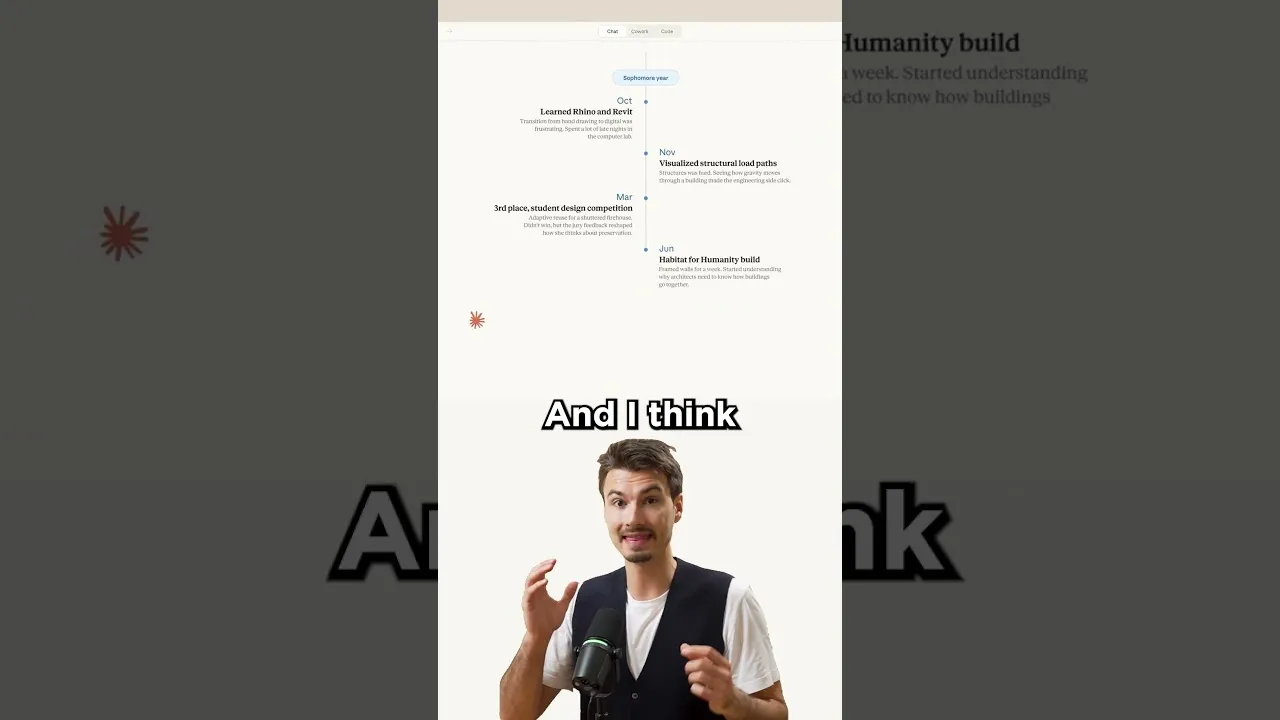
Turn AI Text into Amazing Visual Presentations
Are you tired of getting long, boring blocks of text from AI chatbots? Imagine if your AI could create professional-looking presentations for you instead. Anthropic’s Claude AI now has a new feature that lets you do just that. This tool turns simple prompts into impressive visual outputs that look like they took hours to make in presentation software. It’s a major step forward in how we interact with AI, moving beyond plain text to more engaging and customized visual content. This article will guide you through how to start using this exciting new feature.
What You’ll Learn
This guide will show you how to use Anthropic’s Claude AI to generate visual presentations from your text prompts. You’ll learn how this new feature works and how it can help you create professional-looking slides without needing complex software or design skills. We’ll cover the basics of getting started and what kind of results you can expect.
Prerequisites
- Access to Anthropic’s Claude AI.
- A basic understanding of how to write prompts for AI.
Steps to Create Visual Presentations with Claude
Access Claude AI
First, you need to open Anthropic’s Claude AI. This is the platform where you’ll interact with the AI and give it instructions. The service is free to begin using, making it easy for anyone to try out its new capabilities.
Understand the New Feature
Claude’s new feature is designed to generate visual outputs instead of just plain text. Think of it as an AI that can create slides or visual summaries based on your requests. This is different from older AI models that could only provide written answers.
Expert Note: This shift towards visual AI output is a growing trend. Many expect future AI tools to offer more interactive and visually rich experiences.
Craft Your Prompt
To get the best results, you need to tell Claude what kind of visual presentation you want. Be clear and specific in your prompt. For example, instead of just asking for information, ask for a presentation on a topic. You might say, “Create a 5-slide presentation about the benefits of recycling, with key points and simple graphics for each slide.” The clearer your instructions, the better Claude can understand your needs.
Generate the Visual Output
Once you’ve entered your prompt, Claude will process your request. It will then generate a visual output. This might look like a series of slides, a diagram, or another visual format, depending on your prompt and the AI’s interpretation. The goal is to move away from a simple wall of text to something more engaging and informative.
Analogy: Think of it like asking a graphic designer to create a poster for you. You give them the text and the theme, and they come back with a visual design. Claude is doing a similar job, but for presentations.
Review and Refine
After Claude generates the visuals, take a moment to look them over. Check if the content is accurate and if the visual style meets your expectations. If it’s not quite right, you can always refine your prompt and ask Claude to try again. You might need to tweak your wording or add more specific details about the design you want.
Tip: Experiment with different prompt styles to see what kind of visuals Claude can produce. For instance, try asking for different slide layouts or specific types of charts.
Use Your Visuals
Once you are happy with the generated visuals, you can use them as needed. These could be for school projects, business meetings, or personal use. The output is designed to look professional, saving you time and effort compared to creating presentations from scratch in software like PowerPoint or Google Slides.
Warning: While the visuals are impressive, always double-check the factual accuracy of the information presented. AI can sometimes make mistakes.
The Future of AI Presentations
This new feature in Claude shows the direction AI is heading. We are moving towards AI tools that are more interactive and visually helpful. Instead of just getting information, you’ll be able to get complete visual packages tailored to your specific tasks. This makes AI a more powerful tool for communication and learning. It’s an exciting time as AI continues to evolve beyond simple text responses.
Source: New Claude Visuals Are Awesome! (YouTube)