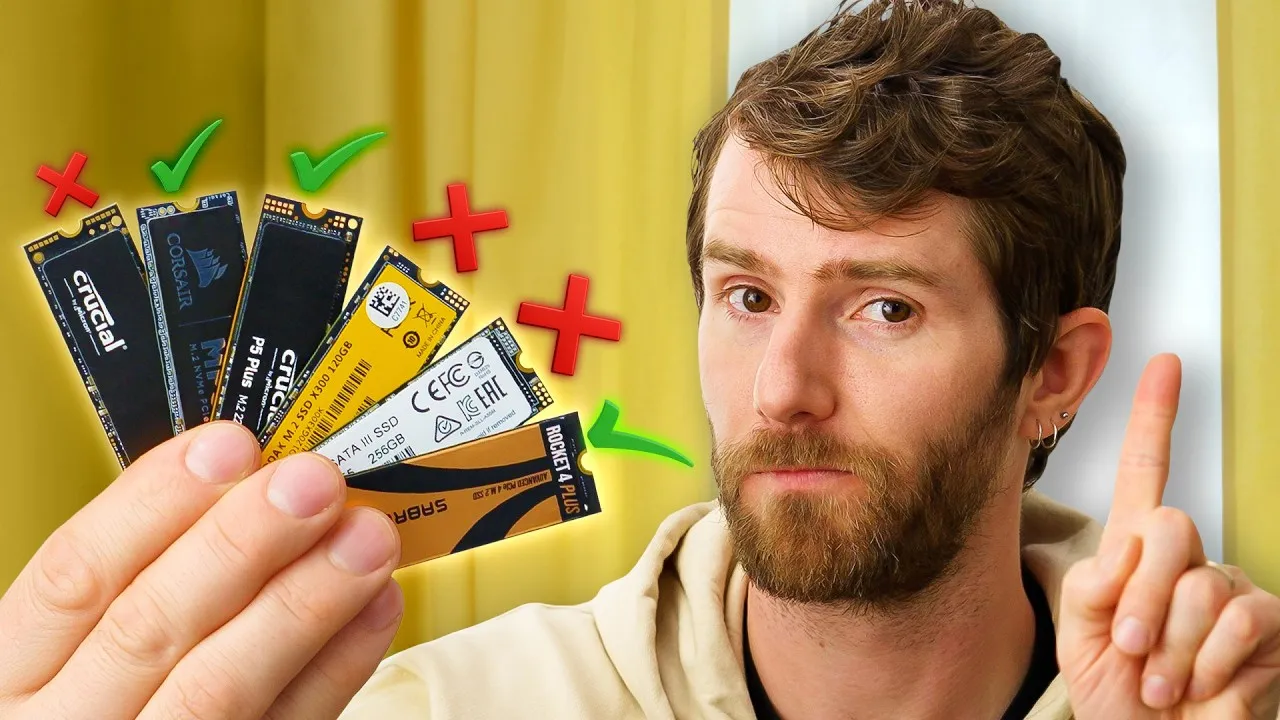
SSD DRAM Cache: A Small Chip, A Big Difference
Storage might not be the flashiest part of a PC, but it matters more than you think. Many gamers just pick an SSD based on capacity and price, assuming it won’t affect performance. But this isn’t always true. Even for everyday tasks, the difference between a cheap SSD and a better one can be huge. Some popular SSDs are missing a key feature that affects reliability and speed, and manufacturers don’t always make it clear if it’s there or not. This missing piece is a DRAM cache chip, and its absence can lead to a slower, less reliable experience.
What is DRAM Cache and Why Does It Matter?
Think of your SSD as a tiny computer within your computer. It has a controller, which is like its brain, managing how data is stored and accessed on the NAND flash chips. The DRAM cache acts as a fast, temporary workspace for this controller. It holds a map, called the flash translation layer, which tells the SSD exactly where every piece of your data is stored on the physical NAND chips. This map is crucial for fast access and for the SSD to manage its own wear and tear efficiently.
Without a DRAM cache, the SSD has to find other ways to manage this map. Some newer drives use a feature called Host Memory Buffer (HMB), which borrows a small amount of your computer’s system RAM. Others store the map directly on the slower NAND flash itself. While these methods can work, especially for less demanding tasks or secondary storage, they aren’t as fast or efficient as having a dedicated DRAM cache onboard the SSD.
The Hidden Truth: Manufacturers’ Shady Practices
The problem is that many manufacturers don’t clearly state whether their SSDs have a DRAM cache. This lack of transparency can be frustrating for consumers. For example, Western Digital (WD) has models where some have DRAM and others don’t, even within the same product line. The high-end WD Black SN850X includes DRAM, but the SN7100 and SN770 do not. Even more confusing, an older WD Black SN750 had DRAM, but its successor, the SN750 SE, removed it. WD’s Blue series also shows inconsistencies, with some larger SATA models having DRAM while smaller ones of the same model do not. This makes it hard to know what you’re actually buying, turning product pages into marketing sheets rather than honest information sources.
WD is not the only company playing this game. Brands like SanDisk, Seagate, MSI, Corsair, Crucial, and NetApp have also been criticized for not being upfront about DRAM cache on their products. This forces consumers to research third-party reviews or even physically inspect the drive, often removing stickers or heat spreaders, which could void warranties.
When Does DRAM Cache Make a Real Difference?
While a DRAM-less SSD might still offer decent performance for general use or gaming, especially with HMB, a DRAM cache is highly recommended in specific situations. If you plan to use an SSD as your main operating system drive, the DRAM cache significantly improves system responsiveness. You’ll notice this when the system is performing background tasks like updates or virus scans, as the drive can access and manage data more quickly.
Furthermore, for the growing trend of games that use DirectStorage to stream assets directly from the SSD, having a DRAM cache can provide a smoother, faster experience. It helps the drive keep up with the demands of rapidly loading game content, reducing potential bottlenecks.
Who Should Care and What’s the Verdict?
If you’re a gamer looking for the best performance, a content creator working with large files, or anyone who values a snappy and responsive computer, you should pay attention to DRAM cache. For casual users or those using an SSD for secondary storage (like games or media), a good DRAM-less drive might be sufficient. However, the lack of transparency from manufacturers is the bigger issue. Consumers deserve clear information to make informed purchasing decisions.
While some companies are improving, like SanDisk starting to specify cache in newer lines, many still fall short. Samsung, for example, is praised for at least listing DRAM presence on its product pages. The message is clear: support brands that are honest about their products.
Specs & Key Features
- DRAM Cache: A dedicated chip on the SSD used by the controller to store the flash translation layer (data map).
- Benefits of DRAM Cache: Faster data access, improved system responsiveness, better management of NAND wear, crucial for OS drives and DirectStorage.
- DRAM-less Solutions: Host Memory Buffer (HMB) uses system RAM; some drives store the map on NAND flash. These are generally less performant than DRAM cache.
- Transparency Issues: Many manufacturers (e.g., WD, SanDisk, Seagate, MSI, Corsair, Crucial, NetApp) do not clearly disclose DRAM cache presence on product pages.
- Recommended for: Operating system drives, high-performance gaming, content creation.
Availability and Pricing
The article doesn’t specify exact pricing or availability for the SSD models mentioned, but highlights that the presence or absence of DRAM cache can significantly impact the price and perceived value of a drive. Consumers are encouraged to research specific models and look for manufacturers that clearly list this crucial specification.
Our Recommendation
When shopping for an SSD, especially for your main drive, actively seek out models that clearly state they have a DRAM cache. Companies like Samsung, Kingston, and Acer Predator are noted for their transparency. If a manufacturer makes it difficult to find this information, consider it a red flag and explore other options. Your wallet has power, so use it to encourage honest product labeling.
Source: Please Stop Buying the Wrong SSD (YouTube)