Discover How Claude’s Latest Update Transforms User Interactions
In the rapidly evolving landscape of generative AI, staying updated with the latest advancements is crucial. This guide focuses on a significant update to Anthropic’s Claude, which introduces interactive elements directly into its response interface. Gone are the days of solely receiving walls of text; Claude is now capable of presenting dynamic maps, weather updates, and visually rich recipes. This transformation aims to make AI interactions more practical, engaging, and tailored to user needs.
What You Will Learn
- How to utilize Claude’s new interactive features for location-based queries.
- How to access and interact with recipe results that include images and custom measurement tools.
- The broader implications of these updates for future AI response formats.
- How these features are available to both free and paid Claude users.
Prerequisites
- Access to an Anthropic Claude account (free or paid).
- An internet connection.
Step-by-Step Guide to Using Claude’s Interactive Features
Step 1: Accessing Interactive Location-Based Information
Claude is moving beyond static text summaries by integrating dynamic content. If you are in a specific location, you can now ask for information relevant to your surroundings, such as ‘best ramen near me’.
- Open your Claude interface.
- Type a query that includes your location or asks for nearby points of interest, for example, ‘best ramen near me’ or ‘weather in Phoenix, Arizona’.
- Observe the response. Instead of a text summary, Claude will now present an interactive map.
- Interact with the map: You can pan, zoom, and select different locations.
- For directions, simply click or request ‘directions’ for the chosen location. Claude will then seamlessly redirect you to Google Maps (or a similar mapping service) with the destination pre-filled.
Expert Note: This dynamic fetching of location data is a significant step towards making AI a more integrated tool for everyday tasks, especially when traveling or exploring new areas.
Step 2: Utilizing Interactive Recipe Features
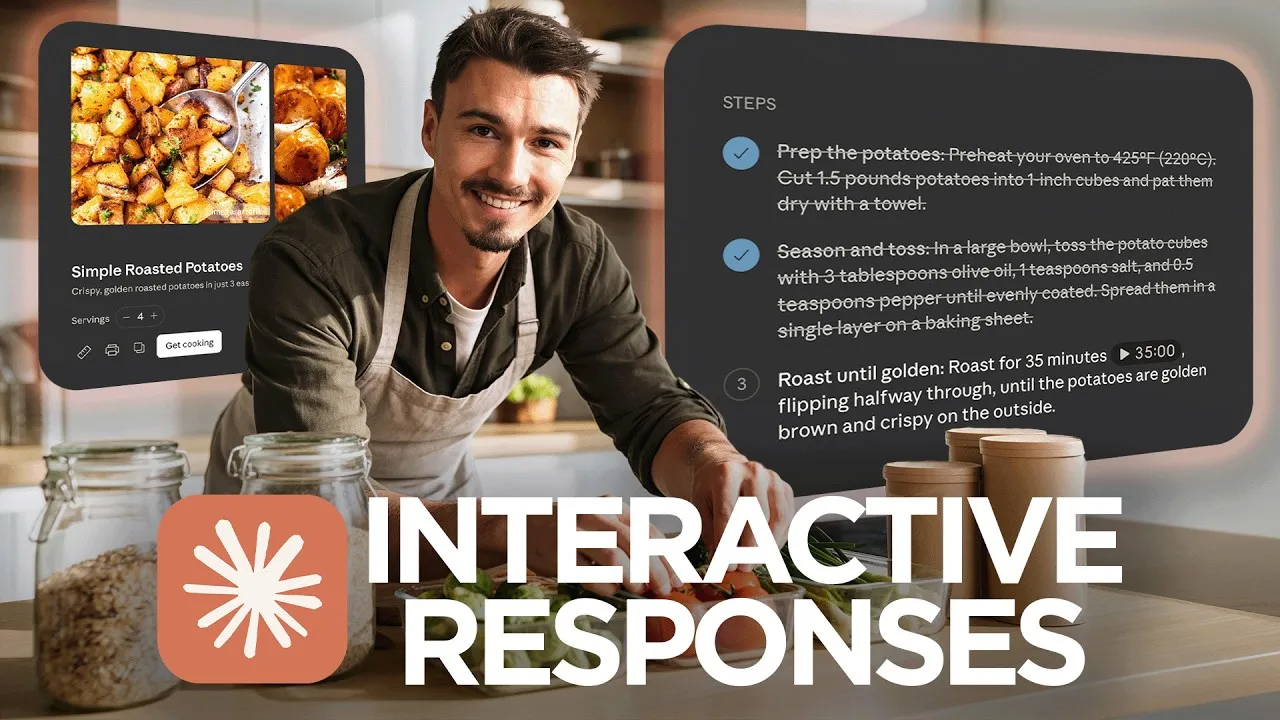
Recipe queries are also receiving a visual and interactive upgrade. This new format aims to make following recipes easier and more engaging.
- In Claude, ask for a recipe, for instance, ‘how to make chocolate chip cookies’.
- Review the response. You should see a new interface that includes:
- Images relevant to the recipe.
- The recipe steps clearly laid out.
- A custom button specifically for handling measurements, potentially offering unit conversions or clear visual representations.
- Engage with the recipe interface by following the steps and using any interactive measurement tools provided.
Tip: This enhanced recipe format is designed to be more user-friendly than a traditional text-based list, especially for novice cooks.
Step 3: Understanding the Broader Impact and Future of AI Responses
The introduction of interactive maps and visually enhanced recipes signifies a broader strategy by Claude to break away from the traditional ‘wall of text’ AI responses.
- Personalized Interfaces: The goal is to provide a custom interface for each type of result, tailored to enhance user experience and deliver information more effectively.
- Enhanced User Experience: Instead of a generic text output, users will receive formats that are more suited to the specific information requested, whether it’s navigating a map, following a recipe, or checking the weather.
- Future Outlook: Expect AI interfaces to become increasingly specialized and interactive. Within a year, AI responses may be significantly different, with custom interfaces becoming the norm for most queries where they add value.
Warning: While these features are impressive, the effectiveness can vary depending on the complexity of the query and the specific implementation by Claude.
Step 4: Confirming Availability
A key takeaway from this update is its accessibility.
- These new interactive features are available to both free and paid users of Claude.
- This broad availability ensures that a large user base can benefit from the enhanced experience without requiring a subscription.
Conclusion
Claude’s integration of interactive elements marks a significant evolution in how AI models deliver information. By moving beyond text-based responses to dynamic maps, rich recipe formats, and potentially many more specialized interfaces in the future, Claude is becoming a more practical and engaging tool. This update, available to all users, sets a new standard for AI interaction and hints at a future where AI responses are not just informative but also intuitively presented.
Source: This Update Changes Claude Forever & More AI News You Can Use (YouTube)