Master Python’s `await`: Unlock Asynchronous Programming
In modern Python development, especially when dealing with I/O-bound operations like network requests, database queries, or file handling, asynchronous programming has become a powerful tool. At the heart of Python’s `asyncio` library lies the `await` keyword, which is essential for managing these concurrent operations efficiently. This guide will demystify the `await` keyword, explaining its role, how it interacts with the event loop, and the types of objects it operates on.
Understanding the `await` Keyword
The `await` keyword is the cornerstone of asynchronous programming in Python. When you encounter `await` in your code, you’re instructing the Python interpreter to pause the execution of the current function. Instead of blocking and waiting idly for an operation to complete, `await` yields control back to the event loop. The event loop is the central orchestrator in `asyncio`, responsible for managing and switching between different tasks. By yielding control, the event loop is free to execute other tasks that are ready to run. The original function that encountered the `await` will remain suspended until the operation it was waiting for (the ‘awaitable’) has finished.
The Role of the Event Loop
Imagine the event loop as a conductor of an orchestra. It keeps track of all the musicians (tasks) and directs them when to play their part. When a function uses `await`, it’s like a musician signaling they need a moment before their next cue. The conductor (event loop) acknowledges this, allows other musicians to play, and will bring the original musician back in when their part is ready. This non-blocking approach allows your program to handle many operations concurrently, significantly improving performance and responsiveness, especially in applications that spend a lot of time waiting for external resources.
Awaitable Objects in `asyncio`
The `await` keyword can only be used with specific types of objects known as ‘awaitables’. In Python’s `asyncio`, there are three primary categories of awaitable objects:
Coroutines
Coroutines are the fundamental building blocks of asynchronous operations in Python. They are defined using the
async defsyntax. When you call anasync deffunction, it doesn’t execute immediately; instead, it returns a coroutine object. This coroutine object is an awaitable, meaning you can use theawaitkeyword on it to pause execution until the coroutine completes its work. Think of a coroutine as a function that can be paused and resumed.Example:
async def my_coroutine():
    await some_other_async_operation()
    return 'Result'

# Calling the function returns a coroutine object
coro = my_coroutine()
# To run it, you'd typically schedule it as a task or await it directly
# await coro  # This would be used inside another async function
Tasks
Tasks are essentially wrappers around coroutines. When you schedule a coroutine to run on the event loop, it’s often wrapped in a
Task. Tasks are managed by the event loop and allow for concurrent execution. Creating a task effectively tells the event loop, ‘Please run this coroutine as soon as possible.’ You can create tasks using functions likeasyncio.create_task(). Once a task is created, it’s added to the event loop’s queue and will run when the event loop gets to it. Tasks are also awaitable, meaning you canawaittheir completion to get their result.Example:
import asyncio

async def fetch_data(url):
    # Simulate network request
    await asyncio.sleep(1)
    return f"Data from {url}"

async def main():
    task = asyncio.create_task(fetch_data('example.com'))
    # Do other things while the task runs in the background
    print("Task created, doing other work...")
    result = await task  # Wait for the task to complete and get its result
    print(result)

asyncio.run(main())
Expert Note: Using
asyncio.create_task()is the recommended way to run coroutines concurrently. It schedules the coroutine to run without blocking the current execution flow.Futures
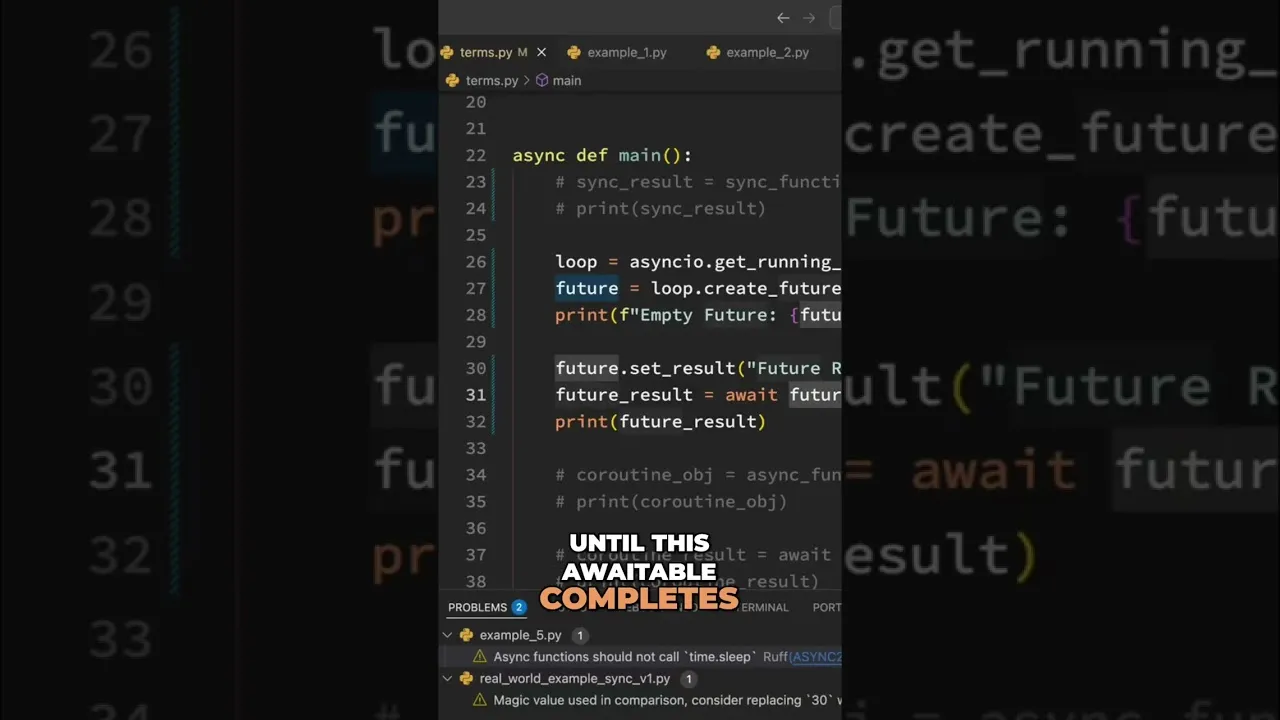
Futures are lower-level objects that represent the eventual result of an asynchronous operation. They are more abstract than coroutines or tasks and are often used internally by libraries or for more complex synchronization patterns. A Future object acts as a placeholder for a value that will be available at some point in the future. You can check if a Future is done, get its result (which will block if it’s not ready), or attach callbacks to be executed when the Future completes. Futures are also awaitable.
Example:
import asyncio

async def producer(future):
    await asyncio.sleep(2)
    future.set_result("Producer finished")

async def consumer():
    loop = asyncio.get_running_loop()
    future = loop.create_future()
    # Schedule the producer coroutine
    loop.create_task(producer(future))
    print("Waiting for future...")
    result = await future  # Wait for the future to be set
    print(result)

asyncio.run(consumer())
Tip: While you can interact with Futures directly, in most application code, you’ll be working with coroutines and tasks, which are built upon the concept of Futures.
How `await` Orchestrates Execution
When your asynchronous function encounters an await expression:
- The
expressionmust be an awaitable (a coroutine, task, or future). - The current function’s execution is paused at that line.
- Control is returned to the event loop.
- The event loop can then run other ready tasks or handle I/O events.
- Once the awaited operation (coroutine, task, or future) completes, the event loop will resume the paused function right after the
awaitline. - If the awaited operation returned a value, that value becomes the result of the
awaitexpression.
Prerequisites
- Basic understanding of Python programming.
- Familiarity with the concept of functions.
- (Recommended) Basic awareness of what asynchronous programming aims to achieve (handling multiple operations without blocking).
Conclusion
The await keyword is indispensable for writing efficient, non-blocking asynchronous code in Python using asyncio. By understanding how it pauses function execution, yields control to the event loop, and interacts with coroutines, tasks, and futures, you can build more responsive and scalable applications. Mastering await is a key step towards unlocking the full potential of Python’s asynchronous capabilities.
Source: Await Keyword Explained: Coroutines, Futures, and Tasks #shorts (YouTube)