Google Chrome Introduces Web MCP to Standardize AI Agent Web Navigation
In a significant leap towards a more agent-friendly internet, Google has unveiled its Web MCP (Machine Communication Protocol) concept for Chrome. This innovative protocol aims to solve a fundamental challenge in the burgeoning world of AI agents: ensuring deterministic and reliable interactions with websites.
As AI agents become increasingly capable of performing complex tasks online, making websites easily navigable for them is becoming paramount. Web MCP offers a standardized way for websites to expose their functionalities to AI agents, promising a future where digital interactions are more efficient and less error-prone.
The Problem: Nondeterministic Agent Behavior Online
Currently, enabling AI agents to interact with websites presents a significant hurdle. Websites are primarily designed for human users, often resulting in complex HTML structures, dynamic content, and a lack of clear machine-readable interfaces. Traditional approaches for AI agents to navigate the web involve either:
- Building Custom Agent Servers: Website owners could develop their own servers to manage agent interactions. However, this is impractical as it requires agents to be specifically equipped to communicate with each individual server, a model that doesn’t scale.
- Relying on Browser Automation Capabilities: Many AI agents are equipped with sophisticated browser automation tools that can open web pages, extract raw HTML, and even interpret screenshots of UI elements. The issue here is the inherent non-determinism. Raw HTML is often massive and noisy, and translating visual cues from screenshots into actionable commands is prone to errors, especially with poorly structured websites. This leads to agents failing to complete tasks reliably.
At a time when AI agents are poised to become major consumers of web content and perform a vast array of online actions, websites that are easier for agents to navigate will naturally see higher adoption rates. This is precisely the problem Web MCP seeks to address.
Web MCP: A Standardized Interface for AI Agents
Web MCP introduces a novel approach by allowing website developers to declare agent-accessible actions directly within their website’s code. Instead of agents needing a complex translation layer to interpret HTML or screenshots, they can directly access a registry of defined actions for each page. These actions are loaded contextually as an agent navigates through a site, ensuring that the agent always has access to the relevant tools for the current page.
For example, on an e-commerce homepage, a website could expose actions like “search products,” “get categories,” and “apply filters.” On a product detail page, actions like “add to cart” or “view similar products” could be made available. Agents can then execute these actions as if they were calling a standard function, benefiting from the deterministic behavior that MCP is known for.
How Web MCP Works: Declarative and Imperative Modes
Google’s Web MCP concept offers two primary methods for implementation:
Declarative Mode: HTML Attributes
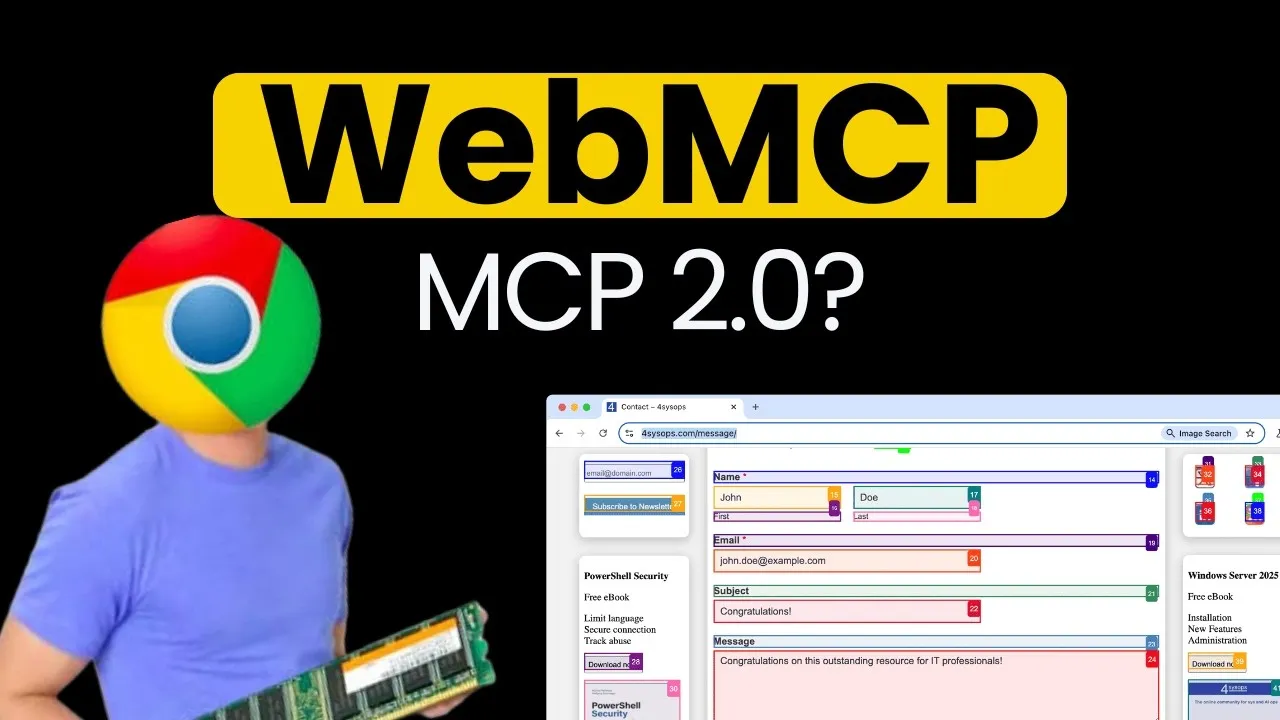
This method involves adding specific HTML attributes to elements on a webpage. For instance, form elements can be annotated with attributes like tool_name and tool_description, and input fields can be described using tool_param_description. When an agent visits a page with these attributes, Chrome’s latest version can automatically transform them into a structured tool definition, complete with descriptions and input schemas.
This makes static websites readily agent-ready with minimal effort. Special CSS classes can be defined to visually indicate when an agent is interacting with the page, offering a review step for human users before submission.
Imperative Mode: JavaScript Integration
For dynamic applications, particularly those built with frameworks like React or Next.js, the imperative mode offers more flexibility. Developers can use new JavaScript APIs, such as navigator.registerTool() and navigator.unregisterTool(), to dynamically register and unregister MCP tools as specific UI components are rendered or unmounted.
This allows for context-aware tool exposure. For example, a flight booking application could expose a “search flights” tool when the search page is active and then switch to tools like “set filter” or “list flights” on the search results page.
This dynamic loading and unloading of tools based on the current web page context is a key innovation of Web MCP. It contrasts with earlier MCP concepts that might load extensive toolkits regardless of relevance, or newer “skill” concepts that offer flexibility but lack strict schema guarantees. Web MCP strikes a balance, providing contextual relevance with schema integrity.
Getting Started with Web MCP
To experiment with Web MCP, users need the latest beta version of Google Chrome. After installing Chrome Beta, users must enable the #web-mcp flag in chrome://flags. Complementing this, the “Model Context Tool Inspector” Chrome extension can be installed from the Chrome Web Store to provide a dedicated portal for inspecting Web MCP tools.
Practical Implementation Examples
The video highlights practical demonstrations of both declarative and imperative modes:
- Declarative Example: A static “Contact Us” page was transformed into an agent-ready form. By adding attributes like
tool_name,tool_description, andtool_param_descriptionto the form and its input fields, the page’s functionality was automatically recognized by Web MCP. Custom event listeners were also implemented to ensure proper tool responses, informing the agent whether the submission was successful or encountered errors. - Imperative Example: A Kanban board application built with React/Next.js was enhanced with Web MCP. A dedicated
web_mcp.tsfile was created to define and manage MCP tools for actions like listing columns, adding cards, and deleting items. These tools were then wired into the UI components usingnavigator.registerTool()andnavigator.unregisterTool(). Upon refreshing the page, the agent could then interact with the Kanban board, creating columns and adding tasks autonomously and error-free through the deterministic MCP actions.
Detailed step-by-step tutorials for implementing Web MCP in applications are available through resources like the AI at Build a Club course.
Why This Matters: The Future of Web Interaction
Web MCP represents a crucial step towards a web that is not only accessible to humans but also intelligently navigable by AI. By providing a standardized, deterministic way for websites to expose their functionalities, it promises:
- Increased Reliability: AI agents will be able to perform tasks on websites with significantly higher success rates, reducing errors and frustration.
- Enhanced Efficiency: The need for complex, brittle browser automation workarounds will diminish, streamlining agent development and deployment.
- New Possibilities: As websites become more agent-friendly, a new wave of AI-powered services and applications that leverage web interactions can emerge.
- Improved User Experience (for Agents): Websites that implement Web MCP will be more attractive to AI agents, potentially leading to greater traffic and engagement from this growing user base.
While still a concept and requiring specific browser versions and flags to test, Web MCP lays the groundwork for a more integrated and functional future between AI agents and the World Wide Web.
Source: WebMCP – Why is awesome & How to use it (YouTube)