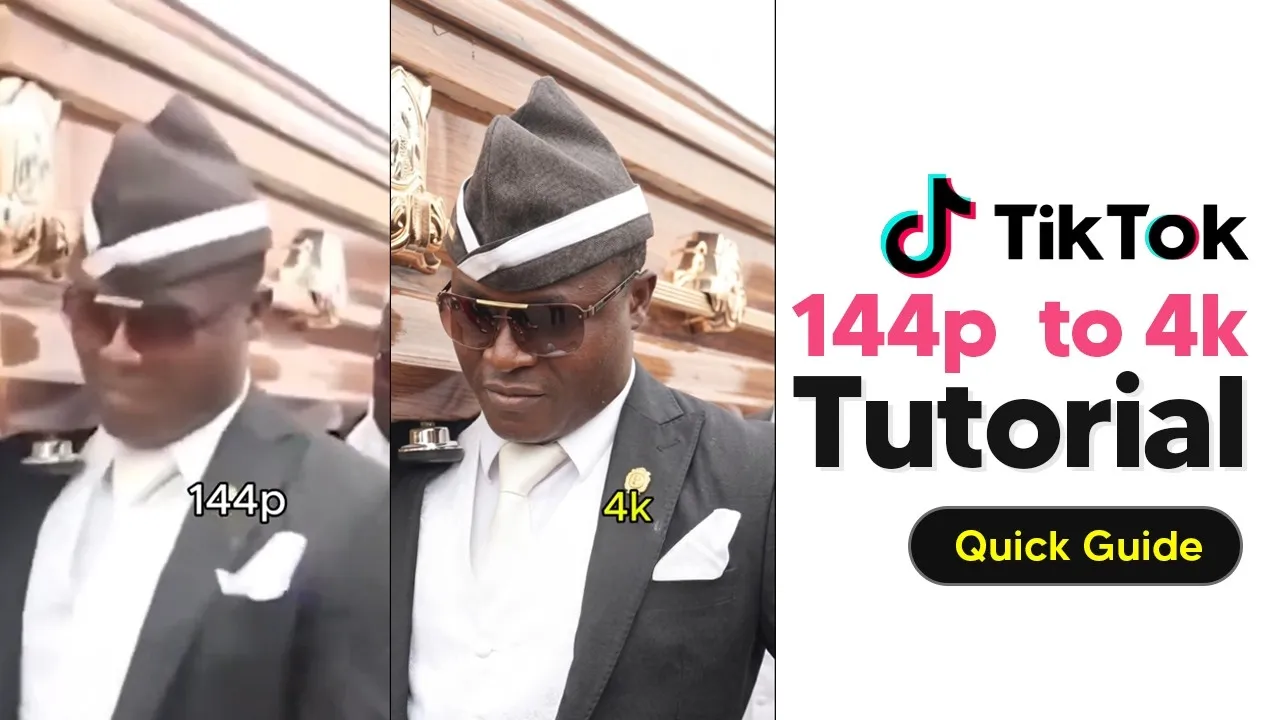
AI Transforms Low-Res Videos to 4K in Viral Trend
A new trend is taking over social media, turning grainy, low-quality videos into crisp, high-definition visuals. This transformation, driven by artificial intelligence, is behind many viral videos that grab attention for their dramatic quality upgrade. Users are learning to replicate this effect, making old or low-resolution clips look brand new.
The process starts with finding a video to transform. Creators often download a TikTok video with a specific soundtrack that signals the quality change.
If direct download doesn’t work, a link can be copied and pasted into a video downloader tool. This ensures the original video and its audio are saved for editing.
Editing the Video for AI Enhancement
Once the video is downloaded, it’s time to bring it into an editing program. Popular choices include Premiere Pro and CapCut, which offer the tools needed to prepare the footage. The video is then placed on a timeline, and the crucial step is to separate the audio from the video track.
A key element of this trend is timing the visual upgrade to specific moments in the soundtrack. Creators listen to the audio to identify points where the music changes or builds, signaling the visual transition. Markers are often placed on the timeline at these exact moments, acting as visual cues for when the AI-generated high-quality images should appear.
Sourcing and Preparing Low-Quality Content
The next step involves finding suitable low-quality videos, often referred to as memes, to be enhanced. Searching platforms like TikTok for terms like “low quality memes” yields a variety of options. The goal is to select videos that are intentionally low-resolution, as these provide the best starting point for the AI upscaling process.
Typically, three different low-quality videos are chosen for a single project. These are then downloaded using the same methods as the original soundtrack video. It’s important to ensure these clips are indeed low-resolution to maximize the impact of the AI transformation.
Integrating and Replacing Footage
With the low-quality clips downloaded, they are imported into the editing software and placed on the timeline. The original soundtrack is removed from these clips, as it will be replaced by the main soundtrack. Each low-quality video is then scaled up to fill the screen, ensuring a full-frame viewing experience.
The editing process involves cutting each low-quality video precisely at the points where the soundtrack indicates a change. Instead of continuing the low-quality footage, a still image, or screenshot, is taken from the last frame of that clip. This static image then acts as a placeholder, holding the screen until the next segment of the video begins or the AI-generated high-quality image is ready to be inserted.
AI Image Generation: The Core of the Transformation
The magic happens when these static images are fed into AI image generation tools, such as Google’s Gemini or OpenAI’s ChatGPT. The process isn’t strictly upscaling; rather, the AI regenerates the image based on the low-quality input, creating a much higher-resolution version. A specific prompt is used to guide the AI in this regeneration.
Creators upload the static images one by one to the AI tool, instructing it to create a new image. It’s important to start a new chat session for each image to prevent the AI from losing context. If a particular AI tool encounters issues, such as flagging the image as a public figure, switching to another AI like ChatGPT can often resolve the problem.
Replacing Placeholders with AI-Generated Images
Once the AI generates the high-quality images, they are downloaded. These new, crisp images then replace the static placeholders on the editing timeline. The editing software allows for easy replacement, often by right-clicking and selecting an option like “replace with clip from bin.” The new images are then resized to fit the frame perfectly.
This creates a seamless transition where the video starts with low-resolution content and then, at specific audio cues, switches to a sharp, AI-generated high-definition image. This visual jump is the core appeal of the trend.
Adding Text and Finalizing the Video
To complete the visual narrative, text is added to the video. Two text elements are typically used: “144p” to represent the initial low quality and “4K” to highlight the AI-enhanced output. These text overlays are strategically placed, often in the bottom right corner, appearing and disappearing to match the video’s quality transitions.
The “144p” text appears when the low-quality footage is shown, and it switches to “4K” text when the AI-generated high-definition images are displayed. This visual labeling reinforces the transformation for the viewer. Finally, the entire project is exported, with settings matched to the source to ensure optimal quality output.
Why This Matters
This trend showcases how accessible AI tools are becoming for creative content creation. What was once a complex process requiring advanced editing skills and expensive software is now achievable with readily available AI models and user-friendly editing applications. It democratizes visual enhancement, allowing anyone to improve the quality of their content.
The viral nature of these videos highlights a public fascination with seeing old or low-quality media revitalized. It suggests a growing demand for content that offers a sense of nostalgia combined with modern technological flair. This trend could inspire new forms of digital art and content remixing, pushing the boundaries of what’s possible on social media platforms.
Creators who want to participate can find prompts and project files shared in online communities or video descriptions, making it easier than ever to replicate the effect. This collaborative aspect further fuels the trend’s growth and accessibility.
Source: 144p To 4k Tiktok AI Trend Tutorial (144p To 4k AI Tutorial) (YouTube)