ChatGPT Agents Automate Complex Workflows
OpenAI has launched a powerful new feature for its ChatGPT users: Agents. These agents can follow instructions, use various tools, and complete tasks across different applications. Think of them as super-smart assistants that can handle multi-step jobs, saving you time and effort.
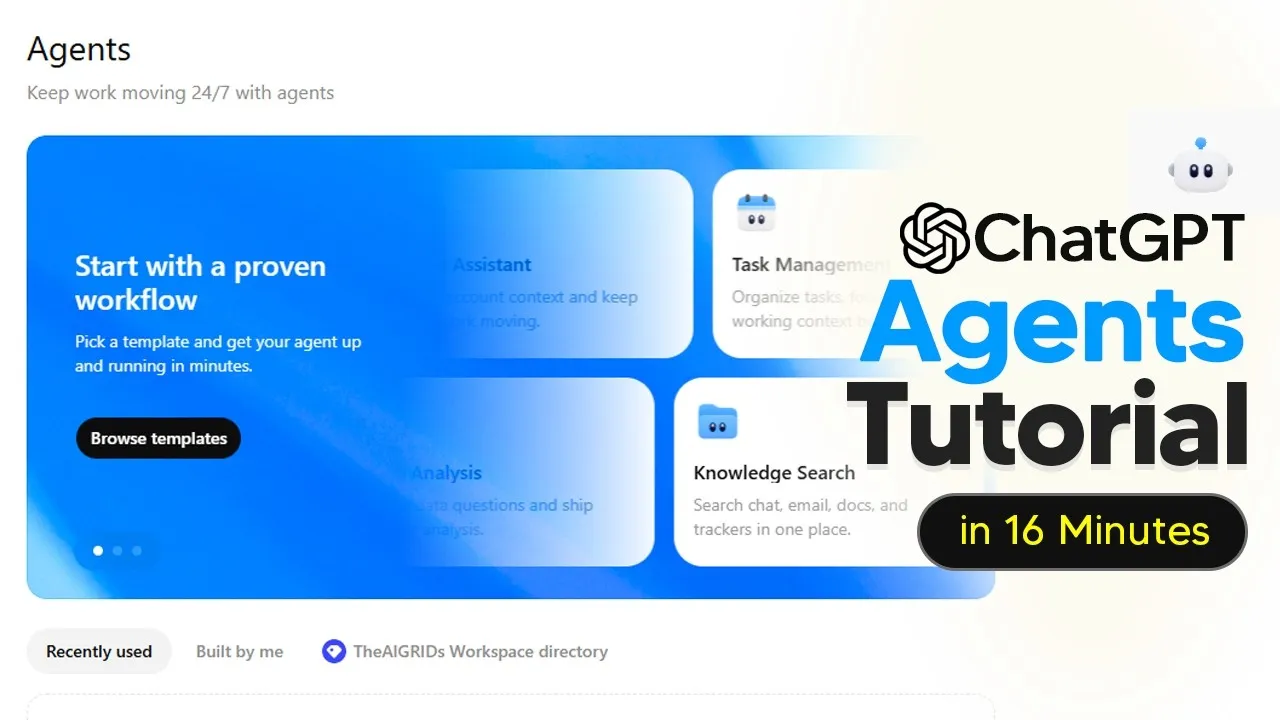
To access these agents, users typically need to upgrade to a business plan. After upgrading, an “Agents” tab appears in the sidebar. From there, you can browse existing agents or create your own by describing what you want them to do.
How Agents Work
An agent acts like a digital worker. You give it a request, and it breaks down the job into smaller steps. It can then use different “skills” or connected applications to complete the work.
For example, an agent could read a new message from a teammate asking for a follow-up. It would then summarize the request, draft the follow-up email, create a note in a customer relationship management (CRM) system, and wait for your review before sending anything. This involves using skills like “follow-up writer” and “customer tone” and connecting to tools like email and CRM software.
Creating Your Own Agents
Building an agent is designed to be user-friendly. You start by clicking “Create Agent” and can either use templates or describe your desired task in plain language. You can even use your voice to dictate what you want the agent to do.
The agent builder then creates a plan, and you can review and edit it. Once you approve, the agent is built in real-time.
If the agent needs you to do something, like log into an app, you can do that directly in the chat interface. You can also set schedules for when the agent should run.
Connecting Tools and Apps
A key part of agent functionality is connecting them to other apps and services. For an agent to work with web forums and Slack, for instance, it needs access to web search and a Slack connector. Permissions are crucial; an agent can only use the tools and data you grant it access to.
Once connected, agents can perform complex tasks. One example shows an agent reading product feedback from web forums, grouping recurring issues, posting a daily summary to Slack for leadership, and creating tickets in a system like Linear for developers to fix. It can even check if existing tickets need updating or create new ones with rich context.
Ensuring Reliability and Testing
OpenAI emphasizes the importance of testing agents. Before sharing an agent, you should set up “evals,” which are sets of tests. These tests help you answer three key questions: Does it follow instructions?
Does it produce a useful output? Does it stay within its boundaries?
You should use realistic test inputs, like common requests, and also “messy” inputs, which are incomplete or conflicting. If the agent’s quality drops with messy inputs, you’ve found a weak spot. Keeping the same eval allows you to compare changes accurately.
When an agent fails a test, you can tell it what went wrong, like missing details or ignoring requested formats. The agent can then update its instructions and you can retest. Previewing your agent in the builder allows you to manually trigger it and watch its logic in real time, helping you identify areas for improvement.
Real-World Examples
Several examples highlight the practical uses of ChatGPT agents. One agent, named “Spark,” helps an SMB sales team. It researches new leads, grades them, sends initial emails, drafts follow-ups, and schedules reminders, all to help book more meetings.
Another agent, “Trove,” acts as a third-party risk manager for a finance team. It accelerates vendor due diligence by gathering evidence, running risk assessments, and creating polished reports for human review. This frees up analysts from time-consuming manual tasks.
A reporting agent can connect to Google Drive, automatically calculate metrics from spreadsheets, and create charts and readouts on a weekly schedule. This ensures reports are generated consistently without manual intervention, giving teams visibility into the agent’s work history.
Why This Matters
ChatGPT Agents represent a significant step forward in making AI tools more practical for everyday work. Instead of just answering questions, these agents can now perform actions and manage complex, multi-step tasks across different software. This ability to automate workflows can drastically increase productivity for individuals and teams.
Businesses can use agents to streamline customer service, manage data analysis, automate sales processes, and improve internal operations. For individuals, it means less time spent on repetitive tasks and more time for creative or strategic work. The system allows for customization, meaning agents can be tailored to specific company needs and processes.
OpenAI also provides resources through the OpenAI Academy for those interested in building their own custom agents. The ability to integrate with familiar tools like email, Slack, and CRM systems makes the transition to using agents smoother for most professional environments.
The future of work will likely involve closer collaboration between humans and AI agents. These agents are designed to be reviewed and guided by humans, ensuring that the AI performs tasks accurately and according to human expectations. Testing and iteration are key to building reliable agents that genuinely help.
To start using agents, users with a ChatGPT Plus or Team subscription can explore the “Agents” tab in their workspace. The capability is rolling out, so availability may vary. Further resources for building custom agents can be found on the OpenAI Academy website.
Source: How To Use ChatGPT Agents – Workspace Agents Tutorial (YouTube)