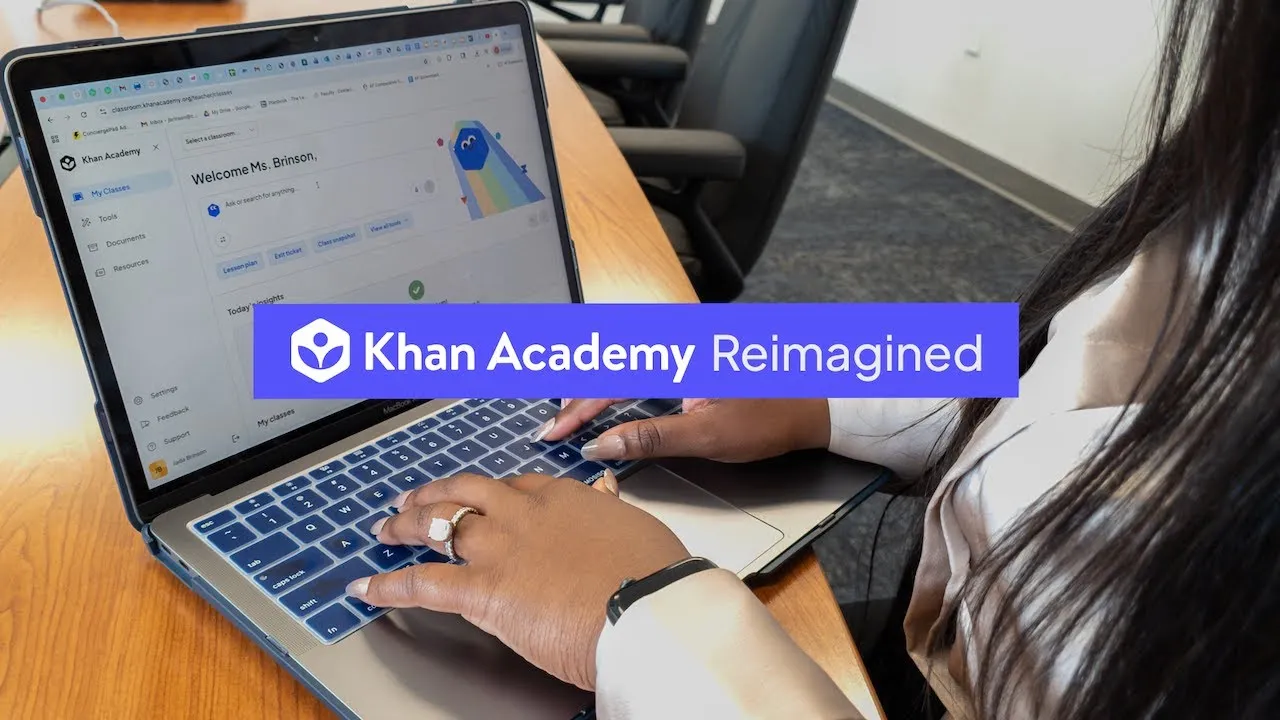
How to Make Teaching Easier with Khan Academy Reimagined
Khan Academy has updated its platform to help teachers save time and make learning more engaging for students. This new version, called Khan Academy Reimagined, uses AI to simplify lesson planning, track student progress, and provide targeted support. You’ll learn how to navigate the new teacher dashboard, understand AI-driven insights, and see how students will experience a more focused and supported learning path.
What You Will Learn
- How to use the new, simplified teacher dashboard.
- How AI helps identify students needing support and suggests exercises.
- How to assign AI-powered tutoring sessions.
- How students will see a clear learning path and get help from Khanmigo.
- How to use student progress for classroom rewards.
Prerequisites
Familiarity with the existing Khan Academy platform is helpful but not required. Access to a computer with an internet connection is necessary to explore the platform.
Step-by-Step Guide to Using Khan Academy Reimagined
1. Explore the New Teacher Dashboard
When you log in as a teacher, you’ll notice a cleaner, more intuitive dashboard. The goal is to reduce clutter and make it easier to find what you need quickly. This design comes from years of feedback from teachers like you.
At the top, you’ll see the Khanmigo search window. Think of this as your main hub for creating lesson plans and finding content. Below that, the “Insights for the day” section shows you exactly where your students might need extra help.
2. Understand AI-Powered Student Insights
Khan Academy Reimagined uses artificial intelligence to analyze student performance data. Instead of spending hours looking at reports, the AI does the heavy lifting for you. It pinpoints which students are struggling and suggests specific exercises to get them back on track.
This means you can quickly see who needs support and what they need. The system makes data analysis simple, so you can focus more on teaching and less on crunching numbers.
3. Assign AI Tutoring Sessions
With just one click, you can assign an AI-powered tutoring session to a student. This feature acts like having an extra helper available for your students. It provides them with guided support exactly when they need it.
The AI tutor helps students work through problems without just giving them the answers. This approach encourages students to think and learn, reinforcing the skills they are practicing.
4. Monitor Student Interactions with Khanmigo
While Khanmigo offers support, you remain in control and can see the conversations students are having with the AI. A special moderation window shows you these interactions.
This ensures you can keep an eye on how students are using the tool and intervene if necessary. You are immediately notified of any important interactions within this window.
5. Track Long-Term Goals and Progress
Your district likely has long-term educational goals. The new dashboard keeps these goals visible, along with reports showing progress towards them. This helps align classroom activities with broader educational objectives.
You can easily see how your students’ work contributes to these larger goals. This provides a clear connection between daily lessons and the district’s vision for student success.
6. Use Student Rewards for Motivation
Khan Academy Reimagined introduces a fun way to motivate students: “sparkly little gems” or points they earn for their progress. These points can be used for classroom rewards that you set.
Imagine using these points for things like class pizza parties or extra recess time. This system provides positive reinforcement and makes learning feel more rewarding for students.
7. Experience the Student’s Simplified Learning Path
Students will log in to a clean, distraction-free environment. Instead of a cluttered screen, they see a clear, streamlined learning path. This path is controlled by you, the teacher, showing them exactly what they need to learn next.
This focused approach helps students stay on track and understand their learning journey. They always know what the next step is, reducing confusion and increasing confidence.
8. Utilize Khanmigo for Student Support
When students get stuck on an exercise, Khanmigo is there to help. It can refresh a concept or guide them through a problem step-by-step. The AI offers support without giving away the answer directly.
This instant feedback and guided help is crucial for consistent practice. It encourages students to keep trying, correct their mistakes, and ultimately master the skills being taught.
9. Connect Teacher, Student, and District Goals
Khan Academy Reimagined creates a clearer path between teachers, students, and district goals. The core content and the commitment to supporting teachers remain the same. New AI tools are designed to enhance the learning experience.
The platform aims to give teachers more time for personalized instruction, like small group or one-on-one support. You, the teacher, are still the expert, with tools designed to make your job easier and more effective.
Next Steps
To see how Khan Academy Reimagined can transform teaching and learning at your school, follow the links provided on the screen to set up a full demonstration.
Source: Khan Academy Reimagined Demo (YouTube)