Master System Design: Build Scalable Production-Ready Systems
Moving from a mid-level developer to a senior engineer means thinking beyond just writing code. You need to understand how to design large, complex systems that can handle many users and a lot of data. This guide will teach you the core concepts needed to build systems from the ground up, making them fast, reliable, and ready for real-world use.
What You’ll Learn
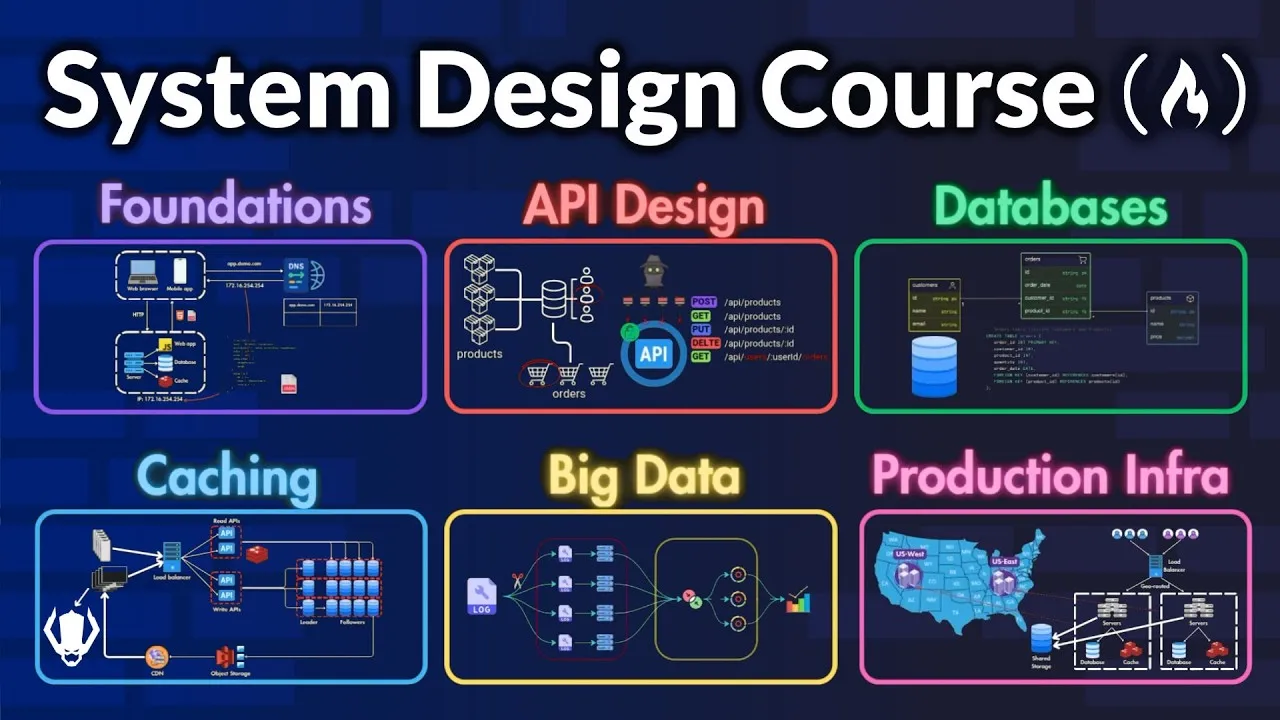
This guide covers the essential steps to designing scalable systems. You will learn about different API types, how to choose the right databases, and strategies for making your systems fast and reliable using caching, CDNs, and load balancing. We’ll also touch on handling big data and building systems that work in production.
Prerequisites
- Basic understanding of software development concepts.
- Familiarity with how websites and apps work generally.
Step 1: Start with a Single Server Setup
Every big system starts small. We’ll begin by designing a system that works for just one user. This helps us understand the basic parts without getting overwhelmed.
How a Single Server Handles Requests
Imagine a simple setup where one server does everything: runs the website or app, stores data, and handles requests. Users access your system using a domain name, like ‘app.demo.com’.
- DNS Resolution: When a user types your domain name, their browser contacts the Domain Name System (DNS). DNS is like a phonebook for the internet; it translates the domain name into the server’s IP address.
- Request to Server: Once the browser has the IP address, it sends an HTTP request to your server asking for information.
- Server Response: The server processes the request and sends back the needed data. For a web browser, this might be an HTML page. For a mobile app, it’s often data in JSON format, which is small and easy for apps to use.
Web vs. Mobile Traffic
Web applications handle everything on the server, including showing the page to the user. Mobile apps usually communicate with the server using API calls to get data, often in JSON format.
Example API Request: A mobile app might ask for product details using a request like ‘GET /products/123’.
Example API Response (JSON):
{
  "product_id": "123",
  "name": "Awesome Gadget",
  "description": "A cool gadget that does amazing things.",
  "price": 99.99
}
This setup is great for a few users. But as more people use your system, one server won’t be enough.
Step 2: Separate Your System Components
When your user base grows, you need to handle more traffic. A common first step is to split your system into different parts that can be managed separately.
Separating Web and Data Tiers
You can separate the ‘web tier’ (which handles user requests from browsers and apps) from the ‘data tier’ (which manages the database). This allows you to scale each part based on its specific needs.
Step 3: Choose the Right Database
Databases store your information. Choosing the right type is crucial for performance and how well your system can grow.
Relational Databases (SQL)
These databases organize data into tables with rows and columns, much like a spreadsheet. They use Structured Query Language (SQL) to manage data. Popular examples include PostgreSQL, MySQL, and SQLite.
- Advantages:
- They are great for ‘join operations,’ which means combining data from different tables. For example, linking customer orders to specific products.
- They offer strong ‘data consistency and integrity,’ especially for transactions. Transactions are like a single, all-or-nothing operation (like a bank transfer). They are Atomic (all or nothing), Consistent (database stays valid), Isolated (transactions don’t interfere), and Durable (data is saved even if the system crashes).
Non-Relational Databases (NoSQL)
These databases offer more flexibility and are good for large amounts of unstructured or semi-structured data. They come in several types:
- Document Stores (e.g., MongoDB): Store data in JSON-like documents, allowing complex data within a single record.
- Wide Column Stores (e.g., Cassandra): Store data in tables with dynamic columns. They handle massive scale and many write operations well.
- Graph Databases (e.g., Neo4G): Focus on storing ‘entities’ (like users or products) and their ‘relationships.’ Amazon uses these for product recommendations.
- Key-Value Stores (e.g., Redis): Store data as simple key-value pairs. They are very fast because they often store data in memory (RAM).
NoSQL Advantages: They can handle large, dynamic datasets without strict structures and are often optimized for speed and scalability. For instance, you could store a user’s information and all their orders in a single document.
When to Use Which Database
- Use SQL when: Your data is well-structured with clear relationships (like an e-commerce site tracking orders) and you need strong consistency and transactional support (like a banking system).
- Use NoSQL when: Your application needs very fast responses (low latency), your data is unstructured or semi-structured (like user activity logs), or you need flexible storage for massive amounts of data (like a recommendation engine).
Step 4: Scale Your System Horizontally
Scaling means making your system handle more users and traffic. There are two main ways to do this.
Vertical Scaling (Scale Up)
This involves adding more resources (like CPU, RAM) to your existing server. It’s simple but has limits: you can only upgrade a server so much, and if that single server fails, your whole system goes down.
Horizontal Scaling (Scale Out)
This means adding more servers to share the workload. This is generally better for large-scale applications because:
- Higher Fault Tolerance: If one server fails, others can keep running, so your system stays available.
- Better Scalability: You can easily add more servers as your traffic grows.
Step 5: Use Load Balancers to Distribute Traffic
When you have multiple servers (horizontal scaling), you need a way to direct incoming user requests to them. This is where load balancers come in.
What is a Load Balancer?
A load balancer sits in front of your servers and distributes incoming network traffic across them. It ensures no single server gets overloaded and helps manage failures.
Load Balancing Strategies
Load balancers use different methods to decide where to send traffic:
- Round Robin: Sends requests to servers in a rotating, sequential order (Server 1, then 2, then 3, then back to 1). Good for servers with similar power.
- Least Connections: Sends requests to the server that currently has the fewest active connections. Useful when user sessions vary in length.
- Least Response Time: Sends requests to the server that is responding the fastest and has the fewest active connections. Good for ensuring quick responses.
- IP Hash: Uses the client’s IP address to decide which server to send the request to. This ensures a user consistently connects to the same server, which is helpful if a server stores user-specific information.
- Weighted Algorithms: Variations of the above methods where servers are given ‘weights’ based on their capacity. More powerful servers get more traffic.
- Geographical Algorithms: Directs users to the server that is geographically closest to them. Great for global services to reduce delay.
- Consistent Hashing: A more advanced method that uses a hash function to distribute requests. It helps ensure clients consistently connect to the same server, even when servers are added or removed.
Health Checks
Load balancers constantly check if servers are working correctly (‘health checks’). If a server fails, the load balancer stops sending traffic to it until it’s back online. This prevents users from hitting a dead server.
Types of Load Balancers
- Software Load Balancers (e.g., Nginx, HAProxy): You install and configure these on your servers.
- Hardware Load Balancers (e.g., F5, Citrix): Physical devices designed for high performance.
- Cloud-Based Load Balancers (e.g., AWS Elastic Load Balancing, Azure Load Balancer, Google Cloud Load Balancing): Provided by cloud services, they are easier to set up and often include auto-scaling and monitoring.
Step 6: Avoid Single Points of Failure
A ‘single point of failure’ (SPOF) is any part of your system that, if it breaks, will bring the entire system down. Identifying and eliminating SPOFs is critical for reliability.
Examples of SPOFs
- A Single Database: If your entire application relies on one database and it crashes, your whole system stops working.
- A Single Load Balancer: If your only load balancer fails, users can’t reach any of your servers.
How to Avoid SPOFs
- Redundancy: Have more than one of critical components. For example, use multiple load balancers. If one fails, the other(s) take over.
- Monitoring and Health Checks: Continuously monitor all critical components, including load balancers themselves.
- Self-Healing Systems: If a component fails, the system can automatically replace it with a new one.
By understanding and applying these principles, you can design and build systems that are robust, scalable, and performant, setting you on the path to becoming a senior engineer.
Source: System Design Course – APIs, Databases, Caching, CDNs, Load Balancing & Production Infra (YouTube)